Introduction
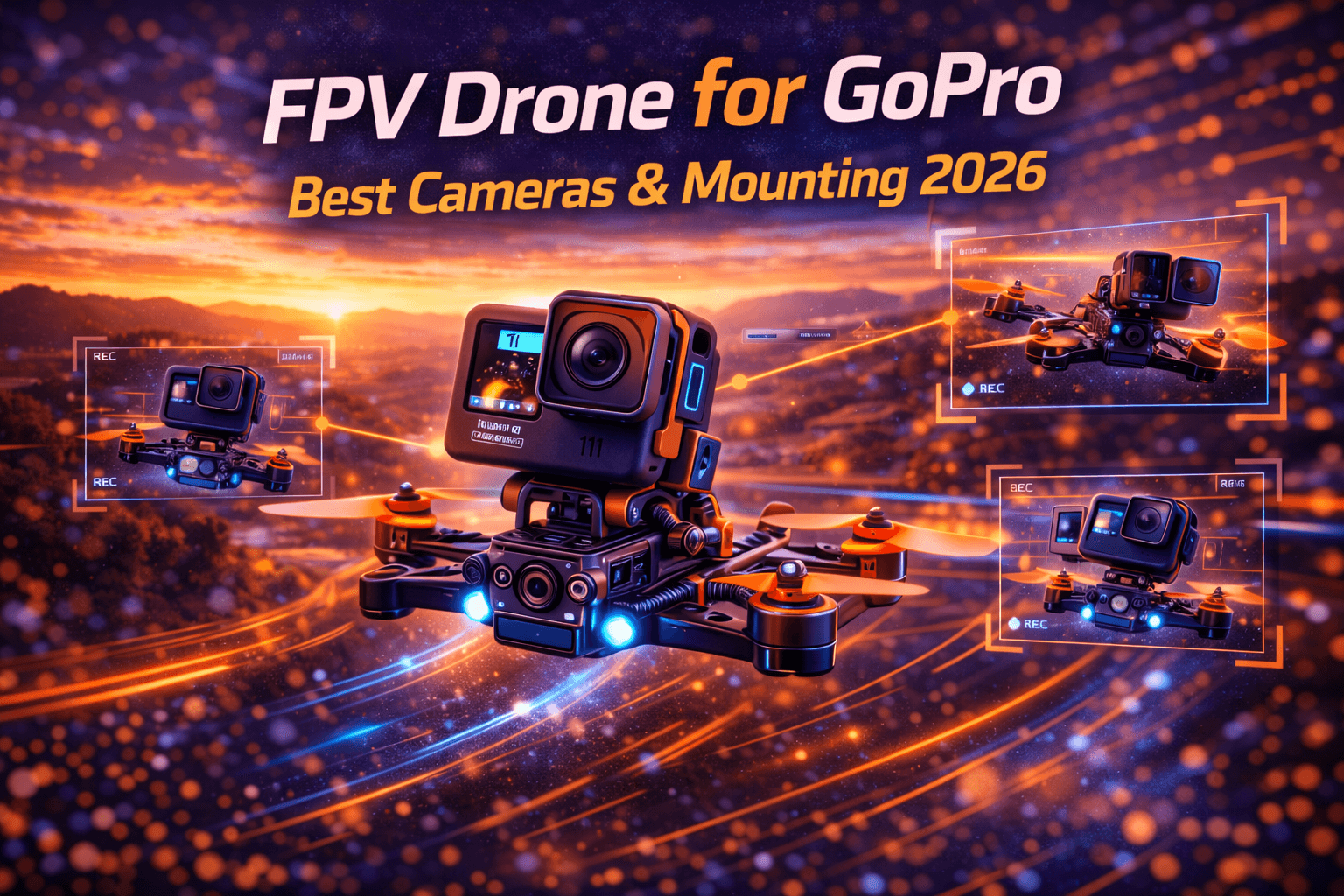
Recording quality FPV footage requires three things: flying skill, camera quality, and proper integration. The best camera poorly mounted produces jello-filled garbage. This guide covers which cameras work for FPV, how to mount them properly, protection strategies, and settings optimization.
Note: This guide contains affiliate links. If you purchase through our links, we may earn a commission at no extra cost to you. This helps support our testing and content creation.
Why Add a Camera to Your FPV Drone
What Action Cameras Provide
High-quality recording: 4K/5K resolution you can edit, color grade, and share. FPV camera alone captures low-resolution feed for flying only.
Shareable content: FPV feed isn't suitable for sharing with non-pilots. Action camera footage looks professional and impresses audiences.
Portfolio building: Real estate agents, content creators, and cinematographers need professional footage. FPV alone doesn't deliver. See our FPV for real estate guide for professional applications.
Stabilization: Advanced in-camera stabilization or ReelSteady post-processing transforms shaky footage to cinematic smoothness. Learn more in our cinematic FPV filming guide.
The Weight Penalty Reality
GoPro Hero 12 adds ~154g (with case) or ~116g (naked). That's substantial—approximately 40% of a typical 5" freestyle quad's total weight.
Flight characteristics change:
- More momentum, slower acceleration
- Different handling feel
- Landing harder
- Battery life 30-40% reduction
- Motor heat increased
When you need a camera: Professional work, portfolio development, sharing with clients, content creation.
When you don't: Pure racing, learning basics, budget constraints, weight-critical builds.
Best Action Cameras for FPV
GoPro Hero 12 Black (Industry Standard)
Specifications:
- 5.3K 60fps / 4K 120fps capability
- HyperSmooth V5 stabilization
- Weight: ~154g (full case), ~116g (naked)
- 10-bit color capability
- Horizon locking technology
- Price: ~$400
Why it dominates FPV:
Gyro data is recorded—you can use ReelSteady GO for professional stabilization. The ecosystem is unmatched: mounting options, accessories, community knowledge, parts availability. Default settings work well for FPV. Proven reliability from thousands of pilots.
Limitations: Expensive, heavy, requires substantial build, battery drain, heat management in extended recording.
When to buy: Serious cinematography, professional work, best-in-class reliability needed.
Find GoPro Hero 12 cameras on Amazon
GoPro Hero 13 Black (Latest Generation)
Improvements over Hero 12:
- Enhanced color grading (flat profile)
- Magnetic mount support (quick-release convenience)
- Anamorphic lens mod compatibility
- Marginally improved low-light performance
Price: ~$500 (significant premium)
Real upgrade assessment: Marginal improvements for most FPV use. Hero 12 does 95% of what Hero 13 does. Hero 13 justifies cost primarily for specific features (anamorphic lens, professionals requiring flat profiles).
When to buy: Advanced grading workflows, specific feature requirements, budget allows.
GoPro Hero 10 (Best Value)
Specifications:
- 5.3K 60fps capability
- HyperSmooth 4.0
- Weight: ~153g
- Fully compatible with ReelSteady
Used Market Value: $200-250 for quality used units
Why it matters: Hero 10 delivers 95% of Hero 12 performance at half cost. Gyro data works identically. Stabilization nearly identical. Image quality excellent. For budget-conscious builders, Hero 10 is sweet spot.
Limitations: Older firmware, potentially fewer firmware updates, slightly older sensor.
DJI Osmo Action 4/5
Specifications:
- 4K 120fps (Action 4)
- RockSteady stabilization
- Weight: ~145g
- Front display (useful for setup)
- Price: $300-400
Advantages: Cheaper than GoPro, competitive image quality, excellent stabilization, touch-screen front display useful.
Disadvantages: Less FPV ecosystem support, fewer mounting options, limited ReelSteady compatibility (Gyroflow alternative required).
When to choose: Budget priority, front-display preference, DJI ecosystem loyalty.
Browse action cameras on Amazon
Budget Alternatives: Runcam Thumb Pro
Specifications:
- Weight: Only 16.5g (ultra-light)
- Resolution: 4K 30fps
- Price: ~$120
- Perfect for weight-sensitive builds
When it makes sense: Learning phase, crash-prone beginners, testing if you like recording, tight budget.
Limitations: Mediocre image quality, limited features, no professional use case.
Naked GoPro vs Protected: Critical Decision
Full Protective Case
Advantages:
- Maximum crash protection
- Weather resistance
- Replaceable lens protection
- Peace of mind
- Insurance-friendly
Disadvantages:
- Weight penalty (~38g extra)
- Heat buildup
- Bulkier profile
- More drag
When to use: Learning phase (frequent crashes), valuable footage, all-weather flying, professional work, insurance requirement.
Naked GoPro
Advantages:
- Lightest configuration
- Better cooling
- Smaller profile
- Minimal drag
Disadvantages:
- Crash damage expensive ($300-400 replacement)
- Lens vulnerability
- No weather protection
- Nerve-wracking
When to risk it: Experienced pilots, smooth flying demonstrated, calculated risk acceptance.
The Reality
Most pilots progress: full case → hybrid options → naked as confidence grows. Crashing naked GoPro is expensive tuition. Start protected, upgrade as skills improve.
Hybrid compromise: Light protection frames or session cases offer middle ground—some protection with less weight penalty.
Browse GoPro cases and protection on Amazon
GoPro Mounting Solutions
Standard Top Mount (Most Common)
Advantages:
- Easy access
- Good field of view
- Simple installation
- Proven reliability
- Quad hits first (camera protected)
Disadvantages:
- Adds height/drag
- Affects center of gravity
- Visible in tight spaces
Mounting Angle Selection
Freestyle flying: 20-30° uptilt is standard
- Horizon visible during forward flight
- Ground visible in proximity flying
- Balanced perspective
Racing: 40-50° aggressive angle
- Looks forward
- Race perspective
Cinematic: 0-20° flat
- Smooth movement
- Landscape emphasis
Pro tip: Angle is personal and style-dependent. Adjustable mounts let you experiment and find preference.
Mount Quality Matters Most
The critical truth: A $15 quality TPU printed mount often outperforms a $40 rigid aluminum mount.
Why: Vibration damping > rigidity for aerial footage. TPU absorbs vibration, aluminum transmits it. Test both. Quality matters more than price.
Recommended mount characteristics:
- Vibration absorption
- Secure retention
- Easy battery access
- Protective design
- Crash impact zones
Camera Settings for Cinematic FPV
Resolution and Frame Rate
4K60 (Standard choice):
- Smooth playback
- Slow-motion capability (half-speed to 30fps timeline)
- Manageable file sizes
- Battery-efficient
- Most versatile
5K30 (Alternative):
- Higher resolution for cropping
- Stabilization headroom
- Better for cinematic movement
- Larger files, slower action only
Recommendation: Start 4K60 unless specific reasons for 5K.
The 180-Degree Shutter Rule (Critical)
What it means: Shutter speed = 1 / (2x frame rate)
- 60fps: 1/120 shutter speed
- 30fps: 1/60 shutter speed
- 120fps: 1/240 shutter speed
Why it matters: Creates realistic motion blur that looks "cinematic." Fast shutter (no blur) looks unnatural and stuttery. Proper shutter speed + motion blur = professional footage.
Without ND filters: You can't achieve proper shutter speed in daylight—overexposure forces fast shutter.
ND Filter Selection (Essential)
ND filter strength by conditions:
- Sunny day: ND16
- Overcast: ND8
- Golden hour: ND4
- Snow/bright: ND32
Why critical: Enables 180-degree shutter without overexposure.
Common mistake: Setting shutter speed to AUTO when using ND filter—camera compensates, defeating the purpose.
Browse ND filter sets on Amazon
Color Profile
Flat profile:
- Maximum dynamic range
- Requires color grading
- Professional results
- Flexible post-production
Standard color:
- Ready to share immediately
- Less post-work required
- Less flexibility
- Good for quick content
Recommendation: Flat if you grade, Standard if posting directly.
Advanced Settings
Sharpness: Set to Low (prevents over-sharpening artifacts)
ISO: Keep at minimum (100 if possible) to minimize noise
Hypersmooth: Turn OFF if using ReelSteady GO, ON if not
White balance: 5500K baseline for sunny, check preview for conditions
Weight and Performance Impact
Real-World Flight Characteristics
Without camera: ~5 minute flights typical
With Hero 12: ~3-3.5 minute flights (40% reduction)
Factors affecting reduction: Battery capacity, flying aggression, motor efficiency, total weight.
Build Requirements for GoPro
Motors: 2207+ recommended (not 1606 toy motors). Check our FPV motors guide for recommendations.
Power system: 6S minimum
Frame: Sturdy design required
Batteries: 1300-1550mAh capacity. See our battery guide for proper selection.
Motor tuning: More aggressive props, conservative tune for stability
Flying technique adaptation
- Smoother inputs required (more momentum)
- Momentum management critical
- Different landing technique
- Crash awareness increased
Protection and Crash Management
Minimizing Camera Damage
Mounting design: Shock absorption, breakaway designs, impact zones
Flying strategy: Progressive proximity increase, bail-out awareness, safe progression
Insurance: Consider coverage for replacement cost. See our FPV insurance guide for options.
Post-Crash Inspection
- Check lens integrity
- Inspect housing damage
- Verify SD card function
- Test camera functionality
For comprehensive crash recovery guidance, see our crash recovery guide.
FAQ
Q: Do I need a GoPro, or can I use cheaper action cameras?
A: Phone cameras aren't designed for vibration/impact—produce terrible aerial footage. Cheap action cameras ($50-100) have poor stabilization and amateur image quality. For shareable content, professional work, or portfolio building, GoPro Hero 12 or DJI Action minimum standard. For pure learning, cheap cameras work. For results you're proud of, invest in quality. Used Hero 10 ($200-250) is excellent middle ground.
Q: Should I use naked or protected GoPro when learning?
A: Protected case while learning—you'll crash frequently and naked GoPro damage is $300-400 loss. Weight penalty (40g) worth crash protection during learning phase. Once flying smoothly with rare crashes, transition to naked for performance. Compromise with light protection frames if wanting both.
Q: What's the best GoPro mounting angle for freestyle?
A: Most freestyle pilots use 20-30° uptilt—allows horizon in frame during forward flight while showing ground in proximity flying. Too flat (0-10°) = too much sky; too steep (40°+) = lost horizon. Start 25° and adjust based on style. Angle is personal—experiment to find preference.
Q: How much does GoPro reduce flight time?
A: Expect 30-40% reduction. 5-minute quad becomes 3-3.5 minutes with Hero 12 full case. Offset with larger batteries, accept shorter flights, or use naked GoPro. Weight is physics—you pay flight time for recording quality.
Q: Can I use ReelSteady with non-GoPro cameras?
A: ReelSteady officially supports GoPro (Hero 5+) and some Insta360. DJI Action unsupported (Gyroflow alternative required). For professional workflow, GoPro + ReelSteady proven combination. Gyroflow (free) supports more cameras but requires technical knowledge.
Q: What ND filter strength do I need?
A: Bright sun = ND16/ND32, overcast = ND8, golden hour = ND4. Goal: maintain 1/120 shutter at 60fps (180-degree rule). Many pilots carry ND8, ND16, ND32 and choose based on conditions. Without proper ND, footage looks unnatural—non-negotiable for cinematic look.
Q: Should I buy Hero 13 or save money with Hero 10?
A: Hero 10 (used $250) vs Hero 13 (new $500): marginal image quality difference for FPV. Hero 10 excellent value. Hero 13 justifies cost if specific features needed (anamorphic lens, professionals grading). Used Hero 10 or new Hero 12 are recommended depending on budget. Hero 13 upgrade marginal for most FPV.
Final Recommendations
Complete Beginner Recording Setup (~$300)
- Used GoPro Hero 10: $250
- Full protective case
- Basic TPU mount: $15
- ND filter set: $20
- Total: ~$300
Intermediate Cinematographer (~$550)
- GoPro Hero 12: $400
- Light protection
- Quality vibration-damping mount: $30
- ND filter set: $25
- ReelSteady GO: $100
- Total: ~$550
Professional Setup (~$700+)
- GoPro Hero 13: $500
- Premium mount/protection: $80
- Complete ND set: $40
- ReelSteady GO: $100
- Backup camera: $150+
Budget Explorer (~$200)
- Runcam Thumb Pro: $120
- Basic protection: $20
- Simple mount: $15
- Learning tool before upgrading
The core truth: Camera quality matters, but mounting quality, proper settings, and flying technique matter more. Well-mounted Hero 10 with proper settings produces better footage than poorly-mounted Hero 13.
Invest in smooth flying before premium cameras. Best camera can't fix bad flying.
For complete guidance on cinematic flying techniques, see our cinematic FPV filming guide. If you're ready to upgrade your setup, browse complete GoPro mounting solutions on Amazon.