Introduction
I’ll be honest—I avoided PID tuning for my entire first year of flying FPV. I’d open the Betaflight PID tab, stare at all the numbers and sliders, feel a wave of anxiety, and quietly close it. My quad flew “fine” on defaults, so why risk breaking it? Then I built a custom 5-inch with heavier motors and an HD camera, and the defaults turned it into a wobbling, overshooting mess. I had no choice but to learn.
That forced learning turned out to be one of the best things that happened to my flying. PID tuning has a reputation for being black magic in the FPV world, and if you’ve ever opened that tab and quietly closed it again… you’re not alone. This guide is here to strip away the mystery and give you a clear, beginner-friendly path from “I’m scared to touch anything” to “I can make sensible PID changes and know what they do.”
You won’t become a world-class tuner from a single article, and that’s okay. The goal here is confidence, not perfection. You’ll learn what P, I and D actually represent in real-world flying, how to tell when your quad needs tuning, and how to use Betaflight’s sliders and basic manual tuning to fix common issues. We’ll deliberately stay away from heavy math and advanced tools like blackbox until the very end, where they’ll be mentioned as “next steps” rather than homework.
One more important reality check: modern Betaflight defaults are very good for most typical 5-inch builds and popular component combos. PID tuning is usually about refining how your quad feels and cleaning up problems at the edge of performance, not rescuing something that is fundamentally broken. If your quad has serious issues like desyncing motors, awful vibrations, or random failsafes, those are usually hardware or setup problems, not “bad PIDs.” You’ll learn to tell the difference before you start turning knobs.
Note: This guide contains affiliate links. If you purchase through our links, we may earn a commission at no extra cost to you. This helps support our testing and content creation.
What Are PIDs? Simple Explanation
At its core, PID control is just your flight controller constantly asking one question: “Where does the pilot want the quad to be, and how far away from that am I right now?” It then drives the motors to reduce that difference as quickly and smoothly as possible. P, I and D are three different “ways of correcting” that error, blended together thousands of times per second.
A simple analogy is steering a car down a straight road. You want the car centered in your lane, but bumps, wind and uneven road surfaces keep nudging it around. Your hands on the wheel are the PID controller: every time the car drifts, you correct the steering to bring it back to center. The “perfect” driver reacts quickly to deviations without overcorrecting or weaving.
P Term: How Hard You Correct Right Now
The P (Proportional) term is how hard the quad reacts to the current error. If the quad is tilted 10 degrees when you’re asking it to be level, P decides how aggressively the motors respond to fix that 10-degree mistake.
Back to the car analogy:
- Low P is like holding the steering wheel loosely with one hand and reacting slowly.
The car drifts toward the lane line and you gently correct, but it feels lazy and imprecise. - High P is like gripping the wheel tight and snapping in corrections to every tiny movement.
The car stays more centered, but you risk jerky, nervous motion if you overdo it.
In flight:
- P too low: The quad feels sluggish, “swimming through honey,” and takes time to settle after a stick input.
- P too high: The quad becomes twitchy and can overshoot every correction, creating fast, buzzy oscillations especially after quick moves or at high throttle.
P is usually the term you feel the most when you punch the sticks and demand sharp response. When I first started tuning, I bumped P too high on pitch and the quad started screaming at me on every flip—this high-pitched angry buzz that was genuinely alarming. Backed it off by 10 points and it disappeared completely. That’s how sensitive P can be.
I Term: Fixing Persistent Drift
The I (Integral) term deals with errors that don’t go away over time. Think of a car that always pulls slightly to the right because of alignment issues. Even if you correct in the moment, if you let go of the wheel it will slowly drift right again. Over a few seconds, your brain learns “this car pulls right” and you subtly hold the wheel a bit left all the time. That “memory” correction is what I does.
In flight:
- I too low: The quad can’t fight long-term influences like constant wind from one side, slightly unbalanced weight or camera mounts, so it slowly drifts off line when you try to hold an angle or hover.
- I too high: The quad starts to “argue” with you and with P, creating slow, lazy wobbles as it over-corrects for accumulated error and then has to unwind that correction.
I is most noticeable when you hold a steady attitude or hover for a bit and see whether the quad holds that state or slowly wanders.
D Term: Smoothing the Aggression
The D (Derivative) term looks at how fast the error is changing, not just how big it is. Back to the car: when you correct a drift, you don’t keep turning the wheel at the same rate all the way to center. As you see the car coming back to the middle of the lane, you ease off the steering so you don’t overshoot and start drifting the other way. That “anticipation” of where the car will be a moment from now is D.
In flight:
- D too low: P does all the work aggressively, which can cause overshoot and sharp, fast oscillations after quick stick releases or in prop wash.
- D too high: The quad feels mushy and “over-damped,” and motors can get hot because D is extremely sensitive to high-frequency noise and vibration.
D is the smoothing term that keeps a sharp, responsive quad from turning into a nervous, buzzing mess. It tames P’s aggression, but you pay for high D with more sensitivity to noise and higher motor temperatures. I burned through a set of motors once because I cranked D way too high trying to fix prop wash—the motors were scorching after a 3-minute flight. Lesson learned: always check motor temps after tuning changes.
Putting P, I and D Together
Your flight controller constantly blends P, I and D to decide what motor output should be at each instant. P gives immediate, strong correction, I adds longer-term bias to fight persistent drift, and D damps P’s tendency to overshoot. The “art” of tuning is finding a balance where:
- P is high enough to feel crisp but not so high that it rings and oscillates.
- I is strong enough to hold attitude against wind or weight shifts without adding slow wobble.
- D is high enough to smooth motion and clean up prop wash without making motors angry.
You don’t need equations to tune a quad. You just need to know what each term “feels” like when it’s too high or too low and adjust carefully in small steps.
Why You Might Need to Tune
In many cases, you don’t need to touch PIDs at all. Betaflight’s default tunes are designed to fly well on typical 5-inch quads with mainstream frames, motors, and props, running the recommended firmware versions. If you’re flying a common build and it feels solid, holds attitude, and doesn’t exhibit obvious oscillations, there’s no obligation to “improve” it just because other pilots share their custom tunes. Honestly, I’d say 60-70% of quads I’ve built flew perfectly fine on defaults with zero tuning needed.
Default PIDs often work well when:
- You’re using a popular BNF or PNP quad from a major brand.
- Your frame and motor combination is similar to common setups the developers test on.
- Your quad isn’t overloaded with extra weight, and you’re running decent props and batteries.
However, there are many situations where tuning can noticeably improve performance:
- Custom builds with unusual frames, arm stiffness, or component layouts.
- Heavy HD cameras or extra accessories that change the weight and balance.
- Different motor/prop combinations (larger props, high-KV motors, unusual blade profiles). If you’re running non-standard motors or props, expect to need at least some tuning.
- Flying in harsh conditions (strong wind, aggressive acro, hard racing maneuvers).
- After major crash repairs or frame changes that alter resonance and stiffness. Our crash recovery guide covers how to diagnose post-crash issues that might look like bad PIDs but are actually hardware damage.
You may also tune purely for personal preference. Some pilots love a super locked-in, “rail-like” feel; others prefer a slightly softer, more forgiving response. PID tuning lets you shift the feel into the zone you enjoy most, as long as you don’t chase perfection to the point of frustration. If the quad flies well and you’re happy, it’s perfectly fine to stop. Don’t let anyone tell you otherwise.
Before You Tune: Prerequisites
PID tuning assumes your quad is fundamentally healthy. Trying to tune around hardware problems leads to endless frustration and can mask serious issues. I spent an entire afternoon once trying to tune out a weird yaw wobble that turned out to be a cracked arm I couldn’t see without removing the motor. Don’t be me—check your hardware first.
Hardware Ready Checklist
Before touching numbers:
- The quad must arm reliably and fly without obvious mechanical problems (no severe wobble on takeoff, no desyncs or sudden motor cutouts).
- Motors, ESCs and flight controller should be known-good and correctly configured for protocol and direction.
- Props should be fresh, not chipped or bent, and ideally from a decent brand. Seriously, don’t bother tuning on beat-up props—it’s a complete waste of time. Consider upgrading if necessary: Ensure you have quality, balanced propellers.
- Frame and stack should be tight, with no loose screws, cracked arms, or soft mounts that allow major movement.
- Use fresh, healthy batteries for tuning flights so voltage sag doesn’t confuse your diagnosis. Battery behavior matters more than most pilots realize—our LiPo battery guide explains how voltage sag affects throttle response and why it can mimic bad PID behavior.
Knowledge Requirements
You don’t need to be an expert pilot, but you should:
- Be comfortable flying in acro (rate) mode and performing simple maneuvers like punch-outs, hard turns, and quick level offs.
- Be able to tell the difference between “flies great,” “a bit sluggish,” and “clearly bad” in terms of response.
- Understand the basic role of P, I and D from the earlier section.
- Have basic familiarity with the Betaflight Configurator interface, especially connecting, backing up and saving settings.
If you’re not sure about Betaflight basics, read our Betaflight configuration guide first so you know how to safely back up and restore setups and navigate the tabs. If you’re still building acro confidence, spend time in a simulator first—you need solid stick control to feel PID differences.
Testing Environment
Good tuning requires repeatable tests:
- Fly in a reasonably open area with enough space to do punch-outs, quick turns, and abrupt stops without hitting anything.
- Bring multiple charged packs so you can make small changes and test repeatedly. I usually bring 6-8 packs for a dedicated tuning session—you burn through batteries fast when you’re landing after every 2-minute test flight.
- If possible, record DVR or HD footage so you can review wobbles and oscillations in slow motion later.
- Try to tune in moderate conditions: a little wind is fine (and useful) but avoid extreme gusts that make everything look bad.
How to Know If You Need Tuning
Before changing anything, you need a basic diagnostic sense: “Is this a PID issue, or something else?” Many pilots mislabel hardware or filter problems as “bad PIDs” and waste time chasing the wrong fix. I’ve been guilty of this myself more times than I’d like to admit.
Common Signs Your PIDs Need Work
Watch for these behaviors in the FPV feed, line of sight, and even audio:
- Fast oscillations: Rapid, high-frequency shaking or buzzing, especially noticeable in the FPV image and as a high-pitched motor whine when you punch the throttle or snap the sticks. This often indicates P or D is too high, or that noise is exciting a too-aggressive tune.
- Slow oscillations: Gentle, lazy wobbles when hovering or after inputs, sometimes like a “pendulum.” Often tied to I term being too aggressive or unbalanced with P.
- Sluggish response: You make a stick input and the quad feels delayed, taking a moment to start moving or to stop after you center the stick. P and possibly overall PID strength may be too low, or rates may be set very conservatively.
- Overshoot on stops: You do a quick flip or roll, center the stick, and the quad continues past where you expected, then wobbles back and forth before settling. This is often high P or low D, where corrections are too aggressive and under-damped.
- Drift or wandering: You try to hold a fixed attitude or hover and the quad slowly drifts away with no stick input, especially in wind. This can indicate low I term, or sometimes a mis-leveled gyro for angle modes.
- Prop wash problems: When you dive and then throttle up through your own dirty air, the quad shakes or kicks violently instead of cutting through smoothly. This is one of the classic areas where improved P/D balance and D-term tuning can help. If you’re doing a lot of freestyle, prop wash tuning becomes critical.
If you see several of these consistently across flights with good props and batteries, PID tuning is worth considering.
When It’s Probably Not PIDs
Some issues look like tuning but are actually hardware or filter related. Skip the PID tab and fix these first:
- A single motor gets hot or rough while others are fine: Could be a bad motor, bent shaft, bad bearing, or ESC issue.
- Vibration that changes dramatically with prop swaps or after a crash: Likely bent props, slightly bent motor shafts, or cracked frame parts.
- Sudden twitches, desyncs or roll-overs at high throttle: Often ESC timing, protocol, or electrical noise issues, not simply “bad P gains.”
- Noisy gyro traces or visible jello in HD footage even at low PIDs: Often means you need better vibration management (foam, gummies, better stack mounting) or filter adjustments rather than more D term.
If something seems obviously mechanical or electrical, fix that first. PIDs are for shaping flight behavior on a healthy quad, not patching over broken parts.
The Betaflight PID Tab Explained
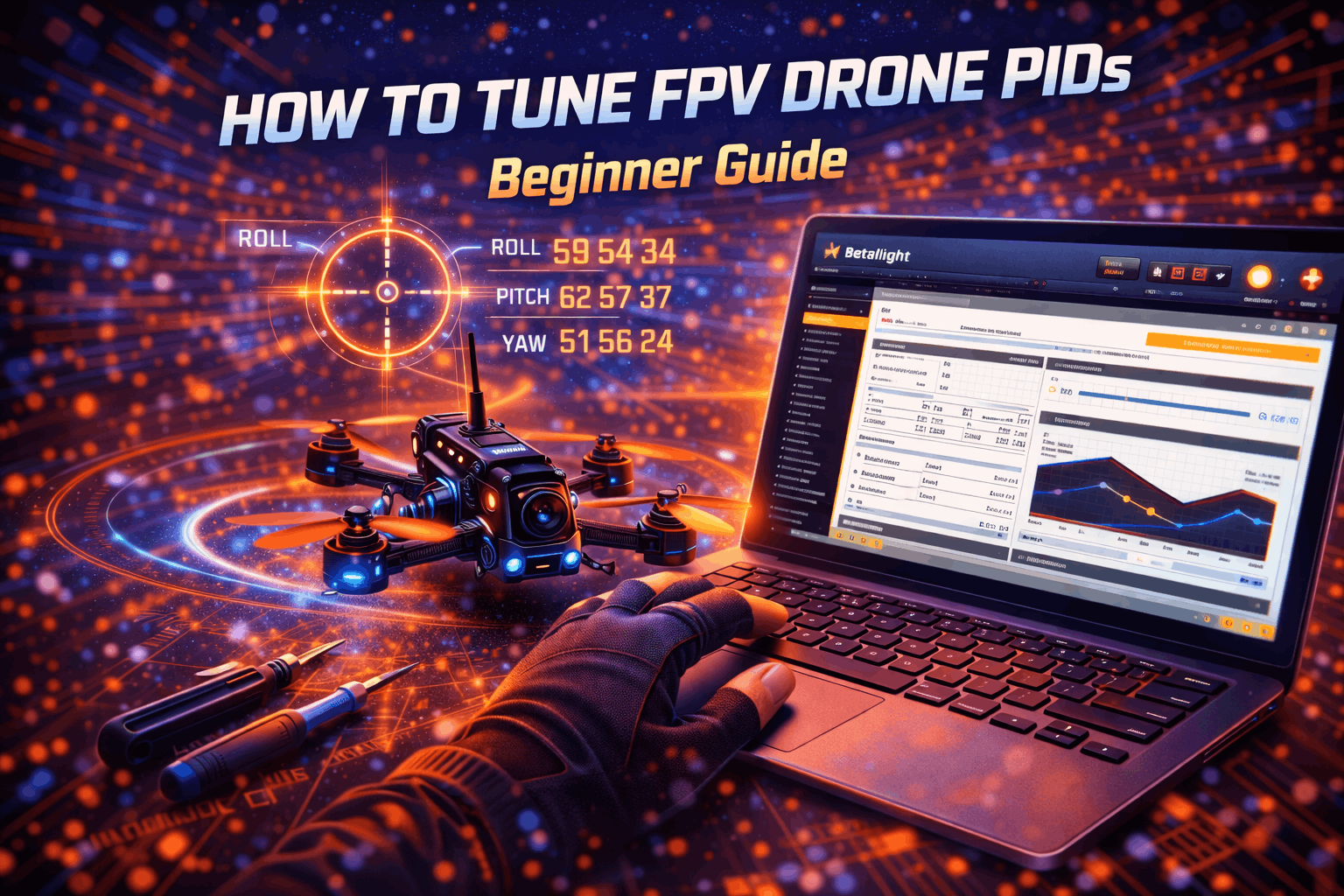
The Betaflight PID Tuning tab can look overwhelming, but it’s mostly a structured way of showing the same three ideas: how hard to correct (P), how much to fight long-term drift (I), and how much to smooth aggressive corrections (D). Once I understood the layout, it stopped being scary and started being logical.
Layout: Axes and Terms
In the PID section you will see separate rows for roll, pitch and yaw. Each row has columns for P, I, D (and often feedforward, FF). The numbers are gains, not percentages; higher numbers correspond to stronger influence.
Typical characteristics:
- Roll and pitch P/I/D values are usually similar in magnitude, with pitch sometimes slightly higher because of different inertia.
- Yaw often uses different ratios and usually has zero D in most modern Betaflight setups.
Above or alongside these numbers, Betaflight provides tuning sliders (Master, P/D balance, etc.) that adjust groups of values together.
Master Slider vs Individual Values
Modern Betaflight uses a slider system so that most pilots don’t have to manually change each PID value.
- Master multiplier (or Master slider): Scales the overall strength of the tune. Moving it up generally increases P and D in a balanced way, making the quad more responsive and locked-in, within safe ranges.
- Additional sliders (like “Damping,” “Tracking,” “Drift/Wobble” in some versions): Adjust more specific relationships, such as P:D balance or I behavior, but still in a controlled, proportional way.
Using sliders keeps the internal ratios between P, I and D sane, which is exactly what you want as a beginner. Manual per-number changes are more for fine-tuning or solving axis-specific problems.
Rates vs PIDs
One common confusion is between rates and PIDs. I see this mistake constantly in forums:
- Rates: Define how much rotation you get for a given stick movement—essentially how sensitive or “twitchy” the sticks feel.
- PIDs: Define how the quad responds to being off its target rotation or angle—essentially how tightly it follows your commands and resists disturbances.
You can have a high-rate quad that spins extremely fast with gentle PIDs, or a low-rate quad that rotates slowly but feels ultra locked-in because of strong PIDs. When tuning, try to keep your rates mostly consistent so you can notice what PIDs alone are changing. Your controller’s gimbal quality also affects how precisely you can feel PID changes—a controller with hall gimbals gives you much more resolution for detecting subtle differences.
Beginner Tuning Method: Start With Sliders
For your first real tuning attempts, the safest and most effective approach is to use Betaflight’s PID sliders instead of editing numbers directly. The developers and tuning experts who designed these sliders have encoded a lot of experience into how they scale P, I and D together, which keeps you away from obviously bad ratios. This is exactly how I started, and honestly, sliders alone got me 90% of the way to a great tune on most of my builds.
Why Sliders Are Beginner-Friendly
Sliders offer several advantages:
- They maintain healthy relationships between P, I and D, so you’re adjusting overall strength rather than risking a wildly unbalanced axis.
- They keep changes within safe ranges that have been tested on many typical quads.
- They allow you to feel differences more clearly because you’re making simple, controlled adjustments.
Think of sliders as moving the “overall personality” of the quad along a spectrum from soft and forgiving to sharp and locked-in.
Step 1: Establish a Baseline
Before touching anything:
- Fly a full pack on your current tune (defaults or whatever you’re starting from).
- Pay attention to:
- How quickly the quad responds to stick inputs.
- Whether it overshoots and wobbles when you stop a flip or roll.
- Any obvious oscillations when you punch throttle or descend through prop wash.
- If possible, record DVR so you can replay key moments (hard stops, dives, punch-outs).
Make a few notes like: “Feels a bit soft on roll, small wobble after prop wash, no crazy oscillations.” I literally keep a note on my phone for each build with these observations—it sounds nerdy but it saves hours of guessing later.
Step 2: Make Small Slider Increments
In the PID Tuning tab:
- Increase the Master multiplier slider slightly—think 0.05–0.10 steps, not huge jumps.
- Save and go fly again for at least 2–3 minutes.
- Repeat the same maneuvers: quick flips, hard turns, punch-outs, and gentle cruising.
After each change, ask yourself:
- Did the quad feel more locked-in and precise, or did it start to feel nervous?
- Did prop wash get better, worse, or stay the same?
- Did any new oscillations appear at high throttle or when stopping moves?
If it feels better and still smooth, you can try another small bump. If it starts to show oscillations, you’ve likely passed the sweet spot.
Step 3: Finding the Sweet Spot
You’re aiming for a zone where:
- Stick inputs produce crisp, predictable motion.
- The quad stops cleanly when you center the stick, with minimal bounce-back.
- There are no persistent high-frequency oscillations in normal flight, even during hard moves.
Signs you’ve gone too high:
- Rapid, fine shaking in the FPV image, especially after quick moves.
- A noticeable “buzz” sound from motors on sharp stick inputs.
- Motors get warmer than usual after an easy flight (check by touch, carefully, after landing).
If you hit these signs, back the Master slider down a bit until they disappear. On my main freestyle quad, the sweet spot ended up being about 1.15 on the Master slider—just a hair above default. That tiny bump made a noticeable difference in how locked-in it felt without any downsides.
Step 4: Know When to Stop
You don’t need to push sliders until the quad is on the edge of instability. Once it:
- Flies well through your usual maneuvers (punch-outs, quick flips, hard turns).
- Doesn’t wobble through prop wash any more than you’d expect.
- Feels comfortable and confidence-inspiring for your style…
…you can stop. Over-tuning often creates more problems than it solves. I’ve fallen into this trap multiple times—the quad was flying great, I kept pushing for “better,” and ended up with something worse. Don’t chase perfection. Chase “good enough for how I fly.” Later, if you want, you can explore specific sliders (like D damping or I behavior), but the Master slider alone can already get a very good beginner tune on many quads.
Understanding Oscillations
Being able to recognize different oscillation types is one of the most important tuning skills. It lets you decide whether to reduce P, adjust I, increase D, or step back and look for mechanical issues. This skill took me months to develop, but once I could “hear” and “see” the difference between P oscillation and D noise, tuning became 10x faster.
Types of Oscillations
- Fast oscillations: High-frequency shake or buzzing, typically 50–200 Hz in the FPV feed. Often linked to P or D being too high, or high D on a noisy quad.
- Slow oscillations: Gentle, slower wobbles (1–5 Hz) when hovering or holding an angle. Often related to I term being too strong or poorly balanced with P.
- Low-throttle wobbles: Wobbles when descending or hovering at very low throttle, especially in ground effect. Can be related to overall tune, filtering, or frame resonance.
- Prop wash amplification: When you exit a dive or sharp turn into your own dirty air and the quad shakes violently instead of staying smooth.
You might see more than one type on the same flight, especially if the tune is far from ideal.
How to Identify Them in Flight
Use multiple senses:
- Audio: Listen for high-pitched “angry bee” sounds that kick in during hard moves or at certain throttle levels; these often correlate with fast oscillations. After a few tuning sessions, you’ll start recognizing these sounds instantly—it becomes almost automatic.
- Visual: Watch for image wobble at specific times—only on punch-outs, only after flips, or only while hovering.
- Stick feel: A very twitchy, hard-to-hold attitude sensation suggests high P/D; a mushy, delayed feeling suggests low values or an over-damped setup.
After flying, reviewing DVR at reduced speed can make patterns easier to see.
Reduce PIDs or Fix Hardware?
If fast oscillations appear only after you raise sliders or P/D significantly, lowering them a bit is the first step. But if you get strong oscillations even on default PIDs:
- Inspect and replace any doubtful props. I can’t stress this enough—I’ve wasted entire tuning sessions chasing oscillations that turned out to be a slightly bent prop blade I couldn’t see by eye.
- Check motors for bent shafts or rough bearings.
- Make sure all frame screws and stack screws are tight.
- Consider that your frame might be very resonant and need more filtering rather than more D term.
If motor temperatures are high and oscillations persist even at modest PIDs, treat it as a hardware or filtering problem before doing further PID tuning.
Manual PID Tuning Basics
Once you understand how sliders affect the tune, you may reach a point where the global approach isn’t enough. Maybe roll feels great but pitch bounces, or yaw feels mushy while roll and pitch are perfect. That’s when manual per-axis tuning becomes useful. For me, this happened when I added a heavy GoPro mount that shifted the center of gravity backward—pitch needed completely different values from roll.
When to Consider Manual Tuning
Manual tuning makes sense when:
- Slider-based tuning got you close, but one axis misbehaves (for example, pitch wobble on braking).
- You want a specific feel (e.g., extra locked-in pitch for racing gates).
- You’ve fixed obvious hardware issues, but certain oscillations persist only in specific maneuvers.
It demands more discipline: you’ll change fewer things at once and pay attention to that axis only.
General Procedure: One Axis at a Time
Follow this order:
- Roll: Most flown axis and usually the least noisy, so it’s ideal to tune first.
- Pitch: Similar to roll but often requires slightly different values due to frame layout and camera mass.
- Yaw: Often left close to default with minimal D, tuned last.
For each axis, tune in the sequence:
- P first.
- I second.
- D last.
Tuning P
For a given axis (say roll):
- Start with a conservative P value (current value or slightly below).
- Perform quick snap moves on that axis (fast rolls or sharp roll corrections).
- Gradually increase P by small steps, watching and listening.
What you’re looking for:
- As P increases, the response becomes sharper and the quad stops more crisply.
- At some point, you’ll start to see small, quick oscillations after hard inputs or during high-speed straight flight.
- That point is roughly “too much P.” Back off by 5–10% from there to get a stable yet sharp response.
Repeat on pitch with pitch-heavy maneuvers like strong pitch-back stops or recoveries from dives.
Tuning I
Once P feels good:
- Fly forward into a steady breeze or try to hold a fixed bank angle for several seconds.
- If the quad slowly drifts off line or can’t hold the requested angle, increase I in small increments for that axis.
- If slow, lazy wobbles appear when trying to hold an attitude or after long corrections, I is probably too high and should be reduced slightly.
I is more subtle than P; it’s about “staying where you want” rather than getting there fast. Most of the time, I leave I at defaults and don’t touch it unless I notice obvious drift in a hover.
Tuning D
D is often the trickiest and most sensitive, so adjust carefully:
- With P and I in a good place, focus on prop wash and post-maneuver behavior.
- Increase D slowly while watching for improvements in:
- Bounce-back after flips or rolls.
- Handling through prop wash (dives, reversals through your own air).
- Monitor motor temperature carefully after each test flight; hot motors indicate too much D or insufficient filtering.
Signs D is too low:
- Overshoot and bounce-back after stick release.
- Messy prop wash, with the quad shaking violently when you punch out through your own turbulence.
Signs D is too high:
- Motors noticeably warmer or hot after a modest flight.
- Increased high-frequency noise and sometimes a “mushy” or delayed feeling as D over-damps P’s corrections.
As with P, aim for the highest D that still gives reasonable motor temps and clean, confident behavior, then back off slightly for safety. On most of my builds, D ends up about 5-10 points below where oscillations start—that margin keeps things safe even as batteries age and props wear.
Common Tuning Mistakes
New tuners often run into the same traps. I’ve made every single one of these, so learn from my mistakes:
- Making huge changes: Jumping sliders or PID values by large amounts makes it impossible to tell which change helped or hurt. Always move in small steps. My rule: never change more than 5-10 points at a time on any single value.
- Changing many things at once: Adjusting P, I, D, filters, and rates all together leaves you guessing what actually fixed the issue. Work methodically—one term, one axis at a time when doing manual tuning.
- Tuning on old or damaged props: Worn props create vibrations and weird behavior that no tune will fix well. Always tune on fresh, straight props. Buy quality propellers in bulk—they’re cheap and it removes a huge variable.
- Ignoring hardware issues: Trying to tune out bent arms, loose stacks, or bad bearings leads to unstable and noisy tunes. Fix the physical issues first. Our drone maintenance guide has a systematic checklist for this.
- Chasing perfection forever: There is no universally perfect tune; there is a “good enough for how I fly.” Once your quad flies well, stop adjusting and go fly. I wasted weeks once chasing a 5% improvement that I could barely feel. Not worth it.
- Not documenting starting values: If you don’t record where you began, you can’t easily get back to a known good state. Always save a backup or write down PIDs before you start tuning.
- Tuning in terrible conditions: Super gusty wind or very tight spaces can make even a good tune look bad. Choose reasonable conditions for your main tuning sessions.
- Copying someone else’s PIDs blindly: Just because a popular YouTuber shares their PID values doesn’t mean they’ll work on your build. Different frames, different motors, different weight distribution. Use shared tunes as starting points, never as final answers.
Being systematic and conservative with changes is the easiest way to avoid spending hours in a tuning spiral.
Advanced Concepts (Preview Only)
Once you’re comfortable with basic PID tuning and want to go deeper, there are several advanced concepts worth exploring. You don’t need them as a beginner, but it helps to know what they are so you recognize them in videos and guides.
- Blackbox log analysis: Records detailed flight data from the flight controller so you can inspect gyro traces, PID outputs and noise. Tools like Blackbox Explorer and PIDToolbox let you see exactly how your quad responds to inputs and help you refine P/D balance and filtering.
- Filter tuning: Adjusting gyro and D-term filters to remove noise without dulling the quad’s response. Lower filtering can improve performance but demands cleaner hardware and careful D tuning.
- Feedforward (FF): An additional term that anticipates your stick movement directly, improving setpoint tracking and reducing latency, especially at high rates. Tuning FF is often the next step after basic PIDs.
- TPA (Throttle PID Attenuation): Reduces PID strength at higher throttle to avoid oscillations on powerful setups where motors produce more noise at full power.
- Different tunes for racing vs freestyle: Racers often prefer very sharp, high-authority tunes with strong tracking, while freestyle pilots may favor slightly softer D and more forgiving behavior in prop wash and proximity flying.
- Dynamic notch filters and dynamic damping: Filters that automatically track vibration frequencies and adjust, improving noise management without heavy manual tuning.
When you’re ready, look for community resources and video series by well-known tuners who specialize in Betaflight PID and filter tuning.
Saving and Managing Tuning Profiles
Good tune management is almost as important as the tune itself. Betaflight’s profile system makes it easy to experiment without losing a known-good configuration. I learned this the hard way after accidentally overwriting a great tune and spending two hours trying to recreate it from memory. Save your stuff.
Back Up Before Changes
Before any serious tuning session:
- Use the Betaflight Configurator to do a full CLI
diffordumpand save it as a text file. - Optionally, export your current profile and rate profile from the PID tab so you can restore them quickly.
This gives you a safety net if you go in a bad direction and want yesterday’s tune back.
Profiles, Names and Testing
Within the PID Tuning tab:
- Use separate PID profiles for different purposes (e.g., “Default Freestyle,” “Heavy GoPro,” “Racing”). Each profile can hold different PIDs and filter settings.
- Name profiles meaningfully so you remember which is which.
- When testing a new tune, start conservative and build up. If a profile feels obviously wrong, land and switch back to the safe one before making further edits.
When sharing PIDs with others, remember that their frame, motors, props and flying style might differ. Treat shared tunes as inspiration and starting points, not guaranteed upgrades.
Troubleshooting Poor Flight
Sometimes, no amount of PID tweaking seems to fix bad behavior. That’s usually a sign you’re dealing with a hardware or noise issue rather than a pure tuning problem. After two years of tuning, my #1 rule is: if you can’t fix it with reasonable PID adjustments, it’s not a PID problem.
Hardware Issues Checklist
Work through these basics:
- Props: Replace all props with fresh, known-good ones. Even slight bends or nicks can introduce vibrations.
- Motors: Check each motor by hand for roughness or notchiness. If in doubt, replace questionable motors.
- Frame: Inspect for hairline cracks, delaminated arms, or loose hardware that can cause resonance.
- Mounting: Confirm the FC is properly soft-mounted if required and that stack screws are snug but not overtightened.
If noise is still high, consider adding or adjusting foam pads between the FC and frame and securing loose wires that might touch the gyro. Check out our drone maintenance guide for a systematic approach to diagnosing and fixing mechanical issues.
Electrical Noise and Filters
High electrical noise from ESCs, motors, or wiring can make gyro signals messy and force you to use higher filters or lower D than ideal.
Signs include:
- Motors getting hot even at modest PIDs.
- Persistent high-frequency oscillations that don’t respond well to normal P/D reductions.
In these cases, filter tuning and possibly power system improvements (better ESCs, adding capacitors) matter more than PIDs alone. If you’re building from scratch, our FPV drone build guide covers wiring best practices that help prevent electrical noise from becoming a tuning nightmare.
When to Ask the Community
If you’ve:
- Checked and refreshed props and hardware.
- Tried reasonable slider-based tuning.
- Verified you’re on a stable Betaflight release and default filters…
…but the quad still flies poorly, it’s time to ask for help.
When posting in forums or Discord:
- Include your full CLI
diffordump. - Share DVR/HD footage showing the issue.
- Describe your build (frame, motors, props, battery, Betaflight version).
- Explain what you’ve tried and what changed.
This gives experienced tuners enough context to offer meaningful advice instead of generic “try lowering P a bit” suggestions.
Final Tuning Tips
To wrap up, here are the core principles that keep PID tuning manageable and productive. These aren’t abstract advice—they’re the lessons that cost me the most time and parts to learn:
- Make small changes and test thoroughly. One variable at a time beats random “tune by feel” guessing.
- Document everything: starting values, slider positions, and what each change did. Your future self will thank you.
- Remember that Betaflight defaults are often very good. Tune because you have a reason, not because you feel you “should.”
- Tune for how you actually fly. A great racing tune might feel harsh for relaxed cruising, and vice versa.
- Fix hardware before software. No tune will rescue a quad with bent motors, cracked arms, or terrible vibration.
- Check motor temps after every tuning flight. This is your single best safety indicator. If motors are too hot to hold for 2 seconds, something is wrong.
- Use community resources, video guides, and logs when you’re ready for more advanced methods, but don’t feel pressured to master everything at once.
Most importantly, be patient with the process. Treat tuning sessions as part of the hobby, not a chore, and you’ll gradually build an intuitive feel for how your changes shape the way your quad flies.
FAQ: FPV PID Tuning
Do I really need to tune PIDs on a modern FPV quad?
Not always. Many modern 5-inch builds fly very well on Betaflight defaults, especially if they use common frames and motors and are built cleanly with fresh props. You should consider tuning when you see clear issues like oscillations, sluggish response, or prop wash problems that persist after you’ve ruled out hardware faults. In my experience, about 60-70% of standard builds don’t need any PID changes at all.
What’s the biggest mistake beginners make with PID tuning?
The most common mistake is changing too many things at once—P, I, D, filters, and rates—without a plan. This makes it impossible to know which change helped, and often leads to worse behavior and frustration. A close second is trying to tune around bent props or bad motors instead of fixing them first.
How can I tell if my oscillations are from P, I, or D?
Fast, high-frequency buzzing often points to P or D being too high or D being too high for a noisy setup. Slow, lazy wobbles when holding an attitude often indicate I is too high, while bounce-back after sharp stick releases usually suggests P is too high or D is too low. After a few tuning sessions, you start to “hear” the difference—P oscillations sound angrier, D noise sounds buzzier and more constant.
Is it safe to only use the Betaflight sliders and never touch individual P, I, D numbers?
For many pilots and typical builds, yes. The sliders are designed to keep P, I and D in sensible ratios while you adjust overall tune strength and damping. Manual per-number tuning is mainly necessary when you’re chasing specific issues on one axis or pursuing a particular feel beyond what sliders comfortably provide. Honestly, I’d recommend sticking with sliders for your first 5-10 builds before going manual.
How do I know if my motors are getting too hot from a bad tune?
After a tuning test flight, carefully touch each motor (briefly and safely). They should be warm or mildly hot but not painful to touch. If they’re scorching after gentle flying, your D term or overall tune is likely too aggressive or your filters are too light, and you should back off and inspect for vibration issues. I use the “2-second rule”—if I can’t hold my finger on it for 2 seconds, something needs to change.
Should I tune PIDs before or after changing filters?
As a beginner, it’s usually best to leave filters at safe defaults and tune PIDs first. Once you have more experience and possibly blackbox logs, you can experiment with reducing filtering for performance, but doing both at once increases complexity and risk.
Can I just copy someone else’s PIDs for my build?
You can use other people’s tunes as a starting point, especially if their frame, motors, and props are very similar to yours. However, differences in manufacturing, weight, and even your flying style mean a copied tune might not be optimal, so expect to tweak and test rather than assuming it will be “perfect out of the box.” Skip the “just paste this CLI dump” advice from random forum posts—it almost never works perfectly.
What tools do I need for PID tuning?
At minimum, you need Betaflight Configurator, fresh props, multiple charged batteries, and an open flying area. A phone or notepad for recording observations helps enormously. As you advance, blackbox logging and tools like PIDToolbox become valuable, but they’re not necessary for basic tuning.