Introduction
Emax's Tinyhawk series has been the default beginner tiny whoop recommendation for years. The Tinyhawk 3 continues that tradition with modern updates. But is it still the best starter tiny whoop in 2026, or have competitors caught up?
This review evaluates the Tinyhawk 3 through a beginner lens: beginner-friendliness, actual performance, learning curve, and whether it lives up to the Tinyhawk reputation.
Note: This guide contains affiliate links. If you purchase through our links, we may earn a commission at no extra cost to you. This helps support our testing and content creation.
What Makes the Tinyhawk 3 Special
The Tinyhawk Legacy
When Emax introduced the original Tinyhawk, it became "the" beginner tiny whoop. Proven reliability, community support, documented learning path—Tinyhawk meant quality for beginners.
The Tinyhawk 3 builds on this foundation with updated motors, better tuning, and modern receiver options. It's not revolutionary. It's evolutionary—improvements to an already solid platform.
Target User Clearly Defined
The Tinyhawk 3 isn't for experienced pilots or cinematic work. It's explicitly designed for one job: teaching absolute beginners to fly FPV safely and progressively.
This focus matters. Every design decision prioritizes learning over performance. That's its strength.
Unboxing and First Impressions
What You Get (RTF Kit)
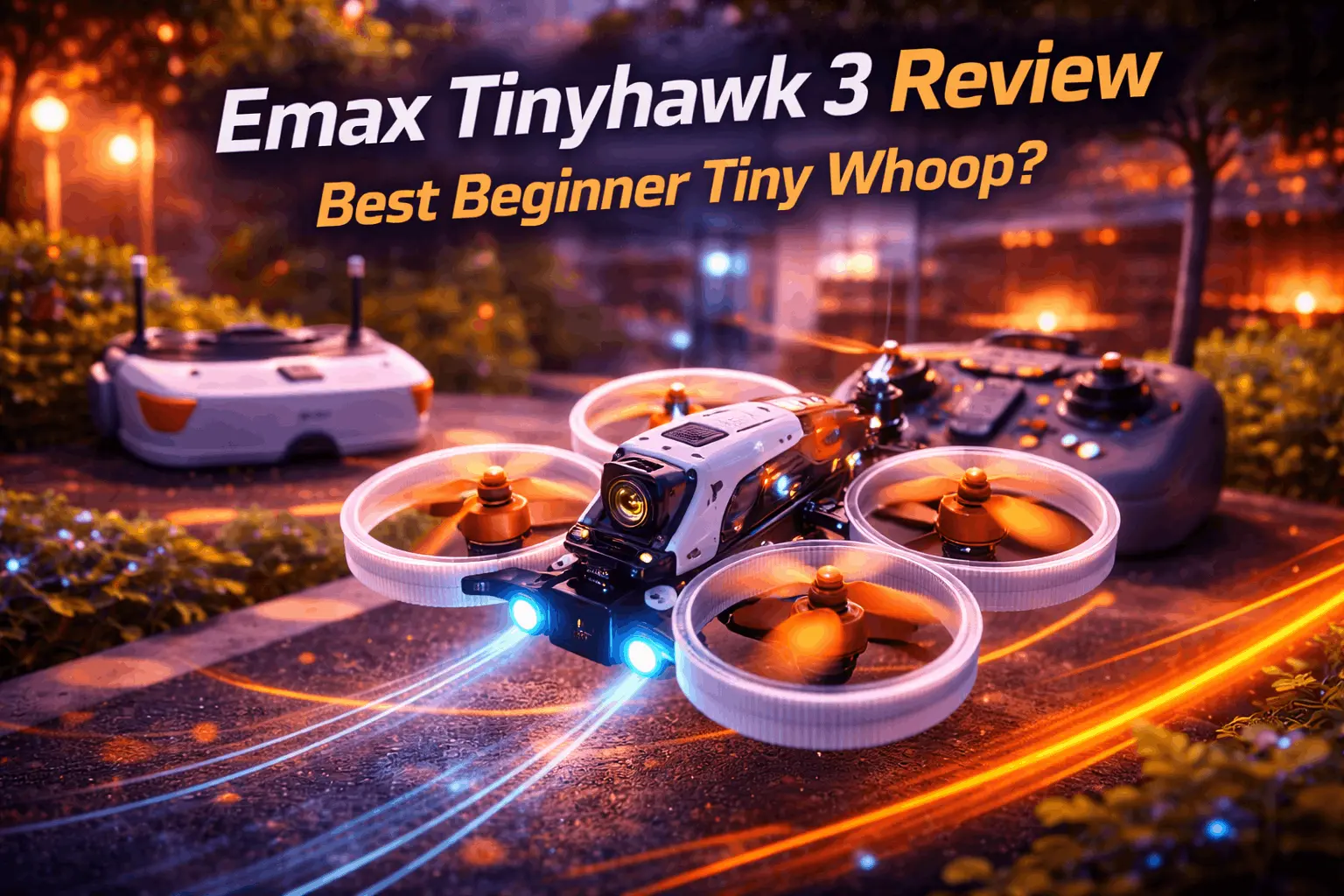
The complete kit includes: drone (with prop guards), two batteries, radio controller (with upgraded joysticks), FPV goggles (removable screen for ground use), charger, props, and minimal documentation.
This matters. You're not buying a drone—you're buying a complete ecosystem to fly FPV immediately. No hunting for compatible goggles or radio.
Build Quality Assessment
The Tinyhawk 3 feels well-made without being premium. The frame is durable polypropylene with prop guards protecting all moving parts. Motors sit in protected positions. Wires are neatly managed. It looks professional enough to avoid embarrassment at flying fields.
Most importantly for beginners: the prop guards work. They protect your property and the quad equally—you can crash this into walls without destroying anything.
Setup Simplicity
Binding takes roughly one minute. Battery installation is straightforward. Goggles pair with one button press. You can be flying within 15 minutes of unboxing.
This matters more than experienced pilots realize. Beginner frustration comes partly from gear complexity. The Tinyhawk 3 removes that friction.
Flight Performance: The Beginner Perspective
Power and Control Character
The Tinyhawk 3 in 1S configuration delivers appropriate power—enough to feel like a real drone, not so much you'll panic. This balance is critical.
When you first grab the transmitter, the quad responds predictably. Throttle is smooth, rolls are controlled, yaw feels natural. It doesn't feel slow or wimpy. It feels like a drone that responds to your inputs without punishing hesitation.
Flight Characteristics
Stability: In Angle mode (self-leveling), the quad is forgiving. Release the sticks and it returns to level. You can fly badly and it doesn't crash. This confidence-building is essential for beginners.
Hovering: The tune allows stable hovering—not trivial for beginners. Many drones oscillate or drift; the Tinyhawk 3 sits still.
Turn responsiveness: Responsive without being twitchy. Small stick movements translate to controlled turns, not erratic movements.
Crash recovery: When (not if) you crash, it often survives undamaged. Prop guards absorb impacts, frame flexes rather than breaks, and simple components mean quick repairs.
Indoor Flying Experience
The Tinyhawk 3's true purpose emerges indoors. The size, weight, and noise level make it perfect for living room flying.
Room size: Needs roughly 10x10 feet minimum. Average living room works fine.
Furniture: Navigate easily—you won't hit the ceiling hard, and prop guards let you thread tight spaces.
Noise: Reasonably quiet indoors. Not silent, but acceptable.
The first indoor flight is magic for beginners—flying through your house in first-person view is genuinely thrilling.
Learning Curve
Expect terrifying and exhilarating in equal measure on your first flight. Within minutes, panic becomes focus. By battery three or four, you're thinking about where you want to go, not worrying about controls.
Timeline: Most pilots take 10-20 hours of practice before feeling confident. Simulator time helps significantly.
Progression: Learn in Angle mode (self-level), progress to Horizon mode (locked angle), then Acro (full manual). The Tinyhawk 3's tune supports this progression naturally.
Camera and Video System
Analog FPV Reality
The standard Tinyhawk 3 uses analog FPV—lower resolution than digital but lighter and less expensive. The feed is adequate for flying—you can see where you're going. For context on the differences, check our analog vs digital FPV comparison.
FPV feed quality: Clear enough for navigation. Not pretty for recording, but flying is the point.
Latency: Minimal—you feel responsive connection between sticks and movement.
Recording Capability
If included, DVR recording is 720p. This is adequate for sharing basic flight footage but not impressive for creating content. If you want to share quality video, you need upgrade path or different drone.
For learning: Recording doesn't matter. Flying matters.
For sharing: Don't expect cinematic footage from stock recording. This is fine—you're learning, not creating content.
Durability and Crash Resistance
Frame and Build Durability
The Tinyhawk 3 survives repeated crashes from the way beginners fly (tentatively, from low altitude). Frame is flexible rather than rigid—it flexes on impact instead of shattering.
Prop guards are effective. Even hard wall impacts rarely damage internals.
Typical Failure Points
Props: Break constantly. Budget $10-15 for replacement prop sets. This is the expected wear item. You can find replacement props on Amazon.
Motors: Resilient. Beginners rarely kill motors—props fail first, protecting motors from overload.
Frame: Cracks occur eventually from repeated impacts. Arms are replaceable (~$10 each).
Battery connectors: This is the weak point. Stock dual PH2.0 connectors are reported problematic. Many pilots upgrade to BT2.0 (minor DIY project). Once upgraded, reliability improves noticeably.
Repair and Maintenance
Repairs are accessible to beginners. Prop replacement takes 30 seconds. Motor replacement requires soldering (if learned). Frame arms unsolder and install easily. No complicated electronics prevent fixing.
Parts are available long-term—Tinyhawk ecosystem is established. Browse Tinyhawk 3 spare parts on Amazon.
Tinyhawk 3 vs Competition
vs BetaFPV Pavo Pico II
The Pavo Pico II is more powerful and sophisticated but costs roughly double. It lacks 1S option (2S only), meaning you get more power—potentially overwhelming for absolute beginners.
Choose Tinyhawk 3 if: Beginner-friendly progression matters, 1S gentleness appeals, complete RTF kit valuable.
Choose Pavo Pico II if: Want more power, planning digital FPV (DJI O4), comfortable with higher expense.
vs Happymodel Mobula6
The Mobula 6 is cheaper and smaller but less refined. Budget option for cost-conscious learners.
Choose Tinyhawk 3 if: Want proven quality and reliable tuning.
Choose Mobula6 if: Absolute budget priority matters more than polish.
vs Brushed Tiny Whoops
Brushed motors are quieter and cheaper. Some pilots still prefer them for tight spaces. Brushless (Tinyhawk 3) is modern standard with advantages in power and longevity.
Choose brushless (Tinyhawk 3) if: You want progression path. Most experienced tiny whoop pilots use brushless.
For more context on tiny whoops in general, see our best tiny whoop guide.
The Real Comparison
The Tinyhawk 3 isn't the most powerful or cheapest tiny whoop. It's the most balanced beginner option—proven, well-tuned, complete package, community-supported. Competitors excel in specific areas; Tinyhawk 3 is solidly good at everything.
The Complete Beginner Setup
Goggles and Radio
The RTF kit includes both. These are adequate but not premium. They work perfectly for learning—you'll eventually upgrade goggles when ready for digital FPV or higher quality, but these launch you into FPV immediately.
Battery Investment
The kit includes 1-2 batteries (depending on bundle). This isn't sufficient for meaningful practice. You'll spend 90% of session time waiting for charging rather than flying.
Investment required: Buy 6-8 additional batteries. Cost: $40-80 total.
Stock Emax batteries are adequate but many pilots upgrade to Tattu or LAVA batteries for better quality and flight time extension. Find 1S LiPo batteries on Amazon.
For proper care and maintenance, consult our FPV battery guide.
Charger and Power
Included USB charger can charge 6 batteries parallel. This speeds up session workflow meaningfully. Consider USB power station or wall power for convenience.
Total Investment for Proper Learning
- RTF kit: $350-400
- Extra batteries (6): $50-70
- Battery upgrade (to BT2.0 connectors if needed): $20-30
- Total: $420-500 for complete learning setup
This is reasonable for a skill-building platform.
Who Should Buy the Tinyhawk 3
Perfect For:
- Absolute FPV beginners ready to get airborne
- Simulator graduates who've done virtual training
- Indoor-focused pilots (year-round flying)
- Budget-conscious starters needing complete kit
- Those wanting proven reliability and support
- Anyone willing to master fundamentals before upgrading
Not Ideal For:
- Experienced FPV pilots (too basic)
- Those wanting digital FPV (DJI O4, etc.)
- Pilots needing long flight times (outdoor cinematic)
- Maximum power seekers
- Record-quality video prioritizers
Honest Assessment
If you're reading this and thinking "I want to learn FPV without breaking bank or hurting things," the Tinyhawk 3 is excellent choice. If you're experienced and want a fun indoor quad, it's adequate but unexciting.
The Tinyhawk 3 knows its purpose and executes it well. For broader beginner recommendations, see our best beginner FPV drones guide.
Pros and Cons
Pros:
- Beginner-friendly power builds confidence without overwhelming
- Excellent prop guards protect property and drone during learning
- Proven Tinyhawk reliability with years of community support
- Complete RTF kit—flying in minutes, not hours
- Durable frame survives typical beginner crash frequency
- Good parts availability and affordable replacements
- Smooth progression from angle mode to full acro
- Reasonable price point balances quality with affordability
- Self-leveling in Angle mode means crashes rarely happen
- Quiet enough for indoor flying
Cons:
- Limited power ceiling—outgrow within 6-12 months if aggressive
- Stock batteries subpar quality—upgrading recommended
- Dual PH2.0 connectors problematic—BT2.0 swap desired
- Recording quality adequate for flying, poor for sharing content
- Flight time (2-3 minutes) requires 8-10 batteries for sessions
- Analog FPV only—no digital option for DJI ecosystem pilots
- No standout feature—good at everything, great at nothing
FAQ
Q: Is the Tinyhawk 3 good for someone who's never flown FPV before?
A: Yes, this is specifically designed for absolute beginners. Start in Angle mode where the quad self-levels. Power is appropriate for learning—enough to progress but not enough to panic. Prop guards forgive crashes. Spend 10-20 hours in simulator first, then transition to Tinyhawk 3. Most successful FPV pilots started with something similar.
Q: How long before I outgrow the Tinyhawk 3?
A: Varies widely. Casual indoor pilots enjoy it for years. Aggressive learners practicing daily want more power in 3-6 months. Most pilots get 6-12 months of valuable learning before feeling limited. Even then, many keep it as backup for indoor flying in bad weather. Don't rush to upgrade—master smooth flying before jumping to more powerful (and expensive to crash) options.
Q: Can I fly the Tinyhawk 3 outdoors?
A: It can fly outdoors in dead-calm conditions, but any wind above 5-10mph makes it nearly unflyable. Too light to fight wind. Outdoor use is bonus fun on still mornings, not primary purpose. Buy it for indoor flying; enjoy occasional calm-day outdoor sessions as bonus.
Q: Do I need to buy extra batteries?
A: Absolutely. Kit includes 1-2 batteries (giving 3-8 minutes total flight time). That's insufficient for meaningful practice. Buy at least 6-8 additional batteries for 20-25 minute sessions with rotation. Budget $50-70 for battery expansion. Learning with 2 batteries is frustratingly limited.
Q: Is the Tinyhawk 3 worth it if I already have FPV equipment?
A: If you have compatible goggles (analog) and radio (ExpressLRS or FrSky), the Tinyhawk 3 drone alone (~$150-200 BNF) is good value. However, if equipment isn't compatible, factor purchase cost in. For experienced pilots adding a tiny whoop, the Pavo Pico II might appeal more (more power, better specs). Tinyhawk 3 is optimized for beginners.
Q: How does the Tinyhawk 3 compare to the Tinyhawk 2?
A: The Tinyhawk 3 has improved motors, better frame, refined tuning, and modern receiver options. Flight feel is very similar—core experience unchanged. If buying new, get the 3 (better and current). If finding used Tinyhawk 2 cheap ($50-80), it's still solid beginner option. The 3 is better, not revolutionary over the 2.
Q: What breaks most often, and how expensive are repairs?
A: Props break constantly (budget $10-15 for sets). Motors rarely fail—props protect them. Frame arms crack eventually ($5-10 each to replace). Battery connectors might need upgrading ($20 for BT2.0 conversion). Most repairs cost under $20. Not expensive to maintain—prop replacement is main ongoing cost.
Final Verdict
The Emax Tinyhawk 3 doesn't excel at any one thing. It's the reliable Honda Civic of tiny whoops—solidly good at being a beginner platform.
It won't win races. It won't produce stunning footage. But it will teach you to fly FPV without breaking your budget or destroying property.
Buy the Tinyhawk 3 if: You're new to FPV and want proven reliability, indoor flying focus, complete kit convenience, and budget-friendly entry.
Skip it if: You're experienced (too basic), want digital FPV, need maximum power, or prioritize recording quality.
The honest truth: For beginners willing to learn properly before upgrading to more specialized equipment, the Tinyhawk 3 is one of the smartest purchases you can make. It's not exciting. It's not cutting-edge. It's just really, really good at being a beginner tiny whoop.
After years of competitors trying, Tinyhawk 3 is still the default answer to "what tiny whoop should a beginner buy?"
If you're ready to start your FPV journey, you can find the Emax Tinyhawk 3 and complete RTF kits on Amazon.