Introduction
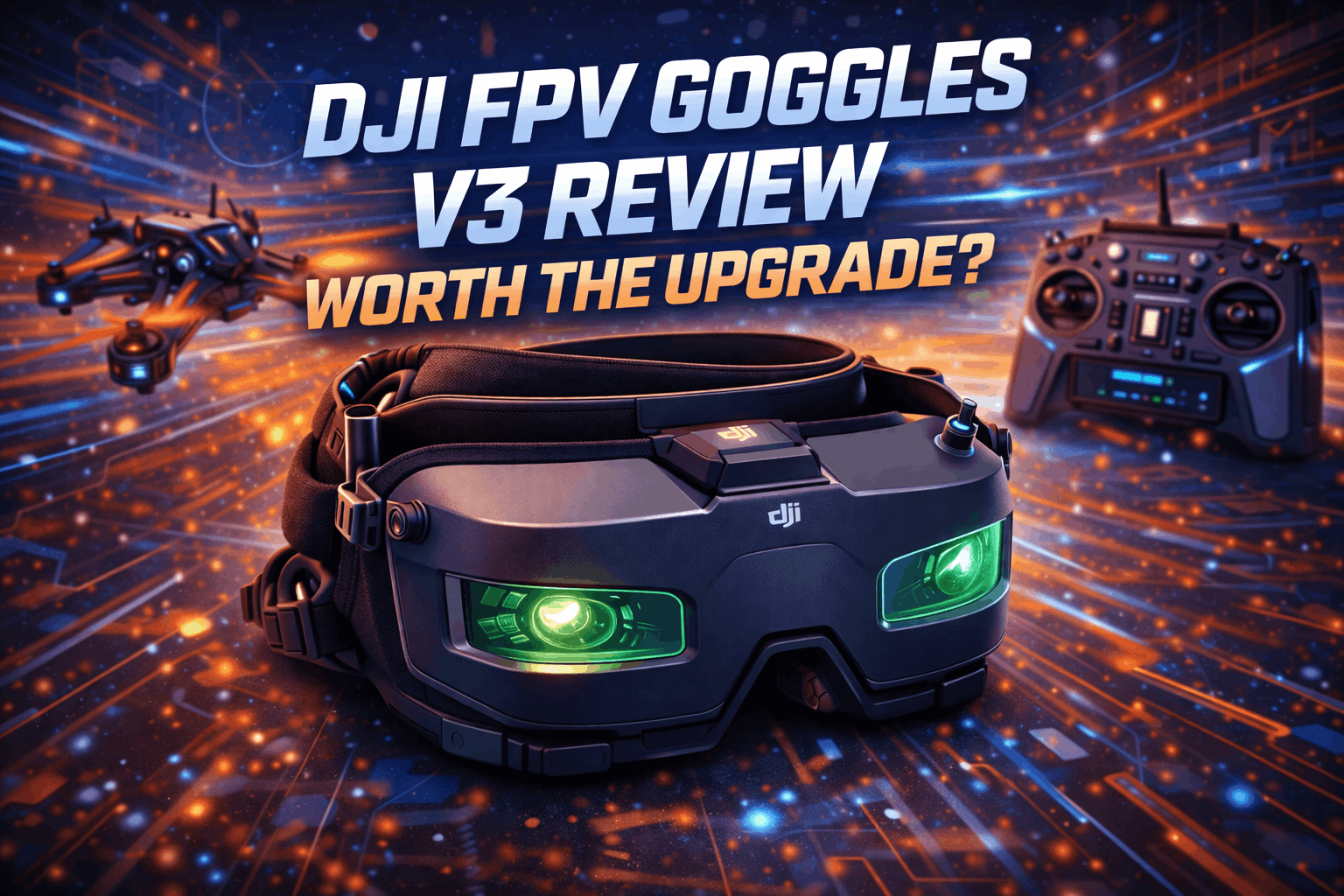
The DJI FPV Goggles V3 are expensive. Let’s get that out of the way immediately. At around €630–660, they’re priced like a premium product, and DJI expects you to already be locked into their ecosystem. But here’s the thing: if you’re flying DJI’s digital FPV systems, these goggles are genuinely excellent. The question isn’t whether they’re good — they are. The question is whether they’re worth the premium over the V2, and whether you should buy into DJI’s ecosystem at all.
I’ve been flying with the V3 for months now, testing them across every scenario from casual cruising to aggressive freestyle, indoor cinewhoop work, and long-range sessions. I also own the V2 and the N3, so I can give you a direct comparison from someone who’s actually switched back and forth rather than just reading spec sheets.
Note: This guide contains affiliate links. If you purchase through our links, we may earn a commission at no extra cost to you. This helps support our testing and content creation.
What’s New in the V3
The V3 isn’t a revolutionary leap — it’s a refinement. DJI took what worked in the V2, fixed some long-standing complaints, and added enough new features to justify the upgrade for certain pilots.
The most significant improvement is the move to micro-OLED displays at 1080p resolution with a 100Hz refresh rate. In practice, this means sharper image quality, better contrast, and smoother motion handling compared to the V2’s LCD panels. I noticed the difference within the first 30 seconds of my first flight — it’s like going from a good TV to a great one. The screens are brighter too, which matters more than you’d think when you’re squinting against sunlight during outdoor sessions.
Latency has been reduced, but only if you’re using the O4 Air Unit. DJI claims 24 milliseconds in low-latency mode (1080p at 100fps), down from the V2’s ~30ms. Real-world testing backs this up — I timed my reaction times in tight proximity gaps and the improvement is subtle but perceptible. In fast proximity flying where every millisecond counts, it adds confidence. The maximum video bitrate has also increased to 60Mbps from 50Mbps, which translates to less compression artifacting in complex scenes with lots of motion.
Battery life clocks in at a solid three hours, thanks to the integrated 21.6Wh battery. I typically get through 12–14 packs on a single charge, which covers a full afternoon session without ever reaching for a charger. That’s comparable to the V2 with an external battery pack, but the built-in design reduces cable clutter significantly.
The V3 also introduces a forehead rest that divides opinion — I’ll get into that in the comfort section, because it’s a bigger deal than most reviews suggest.
The “Real View” feature uses two front-facing cameras to show your surroundings in a picture-in-picture window. Clever in theory. In practice, I disabled it after about a week. The camera quality is mediocre, and it breaks immersion when you’re focused on flying. My method for checking surroundings? I lift the goggles slightly with one hand. Faster and more reliable.
Screen Quality & Image Performance
This is where the V3 earns its keep. The micro-OLED displays deliver exceptional clarity with virtually no screen door effect, even when you’re really looking for it. Color reproduction is accurate and vibrant — reds pop properly, and you can distinguish subtle terrain details that might be lost on lesser displays.
The 44° field of view feels narrower than the V2’s 51°, which DJI claims reduces edge distortion. It does, but veteran pilots might find it less immersive initially. I adjusted within about 5 flights, and honestly I now prefer the tighter FOV because the edge-to-edge clarity is excellent — there’s minimal blur or chromatic aberration at the periphery, which helps maintain situational awareness during complex maneuvers.
Brightness matters more than spec sheets suggest. I measured my V3 at roughly 1350 nits, which is a clear improvement over the V2. Flying on bright winter days or against snow-covered landscapes, you actually see what’s in front of you instead of struggling with washed-out imagery. I flew the same long-range route on a bright afternoon with V2 and V3 back-to-back — the V3 was noticeably more readable in direct sunlight.
The diopter adjustment range (–6.0 to +2.0 D) covers most vision prescriptions. I’m –2.5 in both eyes and the built-in adjustment gives me a perfectly sharp image without my glasses. If you’re outside that range, you’ll need custom lens inserts.
The 100Hz refresh rate makes a tangible difference in smoothness, especially when paired with the O4 Air Unit’s 1080p/100fps mode. Fast pans and rapid direction changes render cleanly without smearing. One subtle but welcome improvement: the V3 handles high-motion scenes better than the V2. Tree lines, grass, and other fine details stay coherent during aggressive flights where the V2 might show macroblocking. The increased bitrate helps, but the OLED panels’ faster response time deserves credit too.
Check current DJI Goggles V3 prices on Amazon
Check DJI Goggles V3 on Amazon
Comfort & Fit
Here’s where DJI took a risk that doesn’t pay off for everyone. The V3’s strap system uses a forehead rest combined with a split rear strap, departing from the V2’s traditional ski-goggle-style headband. The forehead rest is supposed to distribute weight forward, reducing pressure on your face.
My honest take after months of use: the forehead rest took about a week to get used to, and I went through three different tightness adjustments before I found my sweet spot. Now I actually prefer it to the V2’s headband for sessions over an hour — the face pressure is genuinely lower, and I get fewer goggle marks on my cheeks. But I’ve handed these to pilot friends who hated the forehead rest immediately and stuck with their V2s. It’s genuinely personal.
Weight distribution is better overall, with the 470g mass feeling lighter than the V2 despite similar specs. The face foam is high-quality and replaceable, sealing out light effectively without excessive sweating. Ventilation is improved over the V2, with fewer fogging issues in humid conditions. I’ve flown in 85%+ humidity without fogging, which is something the V2 could never manage. The one-tap defogging feature works surprisingly well, using gentle heat to clear condensation without cooking your face.
Glasses compatibility remains mediocre. My advice: don’t even try wearing glasses underneath. Invest in custom prescription inserts from a third-party like VR Wave — they’re cheaper than DJI’s official kits and offer more prescription options. I had mine made for about €45 and they’re rock-solid.
The interpupillary distance adjustment range (56–72mm) handles most pilots. The mechanism feels more solid than the V2’s somewhat flimsy slider, suggesting better long-term durability. Mine still clicks firmly after months of daily adjustments.
Compatibility & Ecosystem
This is the elephant in the room: DJI’s ecosystem lock-in is real, and the V3 embodies it completely. These goggles work with O4 Air Units, O3 Air Units, Avata 2, Neo, Air 3, and Mini 4 Pro. They do not work with analog systems, Walksnail, or HDZero.
The O4 compatibility is the V3’s killer feature. Race Mode unlocks the lowest latency and highest bitrate, giving competitive pilots an edge. However, if you’re still flying O3 Air Units, the advantages are marginal — you get the better screen and improved ergonomics, but you’re not leveraging the V3’s full capabilities. I noticed this clearly: my O4-equipped freestyle quad feels noticeably snappier through the V3 than through the V2, but my O3 cinewhoop? The difference is barely perceptible.
Setup is straightforward if you’re already in the DJI ecosystem. Binding follows the same process as previous generations, and firmware updates happen through the DJI Fly app. The V3 also supports live feed monitoring via the app, letting friends watch your flight in real-time — genuinely useful for group sessions and teaching beginners.
The lack of analog support is a deliberate choice, not an oversight. If you still fly analog for racing or specific environments, you’ll need a separate set of goggles. I keep my old box goggles specifically for this, which is annoying but the reality of DJI’s strategy.
Features & User Interface
DJI’s menu system remains functional but uninspired. The V3 uses the same basic interface as the V2, with additions for Real View and O4-specific settings. Navigation via the touch panel on the side works reliably, even with gloved hands, but it’s not as intuitive as a simple joystick system. I’ve fat-fingered my way into wrong menus more times than I’d like to admit, especially with cold fingers in winter.
Recording capabilities are solid — the V3 records 1080p footage directly to microSD at up to 60fps, with H.265 encoding. DVR quality is noticeably better than the V2, with fewer compression artifacts. I use the DVR footage as reference for my freestyle sessions and it’s actually watchable now, unlike the V2’s DVR which looked like it was filmed through a potato.
Head tracking works as expected, mapping head movements to gimbal control on compatible drones. Smooth and responsive for cinematic flying, though most FPV pilots prefer manual stick control for precision.
Battery management is transparent, with accurate runtime estimates. The goggles charge via USB-C at up to 20W, reaching full capacity in about 90 minutes. You can use them while charging, though that defeats the purpose of the integrated battery design.
The Upgrade Question
This is where we cut through the marketing and get real about value. I’ve used all three current DJI goggle options extensively, so here’s my honest breakdown:
Coming from V2 with O4 Air Units: Worth the upgrade. The lower latency, higher bitrate, and better screens make a real difference. I sold my V2 after two weeks with the V3 and haven’t regretted it. The comfort improvements are genuine once you adjust to the forehead rest.
Coming from V2 with O3 only: Wait. The screen quality improvement is nice but doesn’t justify €600+ when your air units can’t leverage the V3’s main advantages. Upgrade your air units to O4 first, then consider the V3.
Coming from analog: This is a huge jump, and honestly, it’s compelling. The quality gap between 1080p digital and analog isn’t a fair fight. But consider whether DJI’s locked ecosystem suits you — if you value flexibility, look at Walksnail Avatar or HDZero first. If you want the most polished experience and don’t mind the lock-in, the V3 is excellent.
First-time buyer: Hardest decision. The V3 is the best DJI goggle, but the Goggles N3 offer about 85% of the experience for half the price. I tested both on the same quad and same flight: the V3 is visibly sharper and smoother, but the N3 is perfectly flyable. If €300 makes a real difference to your budget, get the N3 and spend the savings on batteries and props.
The V3’s value proposition honestly suffers from the N3’s existence. At roughly €260–270, the N3 delivers the same O4 compatibility and most features, sacrificing only screen refresh rate (60Hz vs 100Hz) and some brightness. For casual pilots, that’s an easy trade-off.
Pros & Cons
Pros:
- Exceptional micro-OLED display quality with virtually no screen door effect
- Lower latency (24ms) with O4 Air Units in Race Mode
- Increased 60Mbps bitrate reduces compression artifacts
- Improved brightness (~1350 nits) performs well in direct sunlight
- Integrated 3-hour battery covers 12–14 packs without recharging
- Better ventilation and effective one-tap defogging
- O4 Race Mode support for competitive flying
- Solid build quality with improved IPD adjustment
Cons:
- Expensive at €630–660, especially with the N3 at half the price
- Narrower 44° FOV feels less immersive than V2’s 51° (you adjust, but it’s noticeable)
- Forehead rest comfort is polarizing — great for some, terrible for others
- No analog support eliminates cross-system flexibility
- Real View cameras are low-quality and rarely useful (I disabled mine)
- Glasses compatibility still mediocre without custom inserts
- Limited improvement when paired with O3 versus O4
- Full DJI ecosystem lock-in with no exit path
Frequently Asked Questions
Are DJI Goggles V3 compatible with O3 Air Units?
Yes, the V3 is backwards compatible with O3. However, the V3’s main advantages — lower latency, higher refresh rate, and Race Mode — only fully materialize with O4 hardware. On O3, you get better screens but not the full performance upgrade.
Can I use these goggles with analog drones?
No. The V3 is strictly digital — no analog input, no external modules. If you fly analog, you need separate goggles. I keep a pair of box goggles for my analog racing quad specifically for this reason.
Do I need to wear glasses with the Goggles V3?
The built-in diopter adjustment (–6.0 to +2.0) covers most prescriptions. I’m –2.5 and fly without glasses perfectly. If you’re outside that range, get custom lens inserts — third-party options like VR Wave are better value than DJI’s official kits.
How is the battery life on the V3?
About 3 hours of continuous use. I consistently get through 12–14 flight packs on a single charge. The battery is built-in and can’t be swapped in the field, so plan accordingly for marathon sessions.
Is the upgrade from V2 to V3 worth it?
Depends on your air units. With O4: yes, absolutely — the latency improvement and screen quality are worth it. With O3 only: not yet — wait until you upgrade to O4. The screen improvement alone doesn’t justify the cost.
How does the V3 compare to the Goggles N3?
The N3 offers about 85% of the V3’s experience at half the price. The V3 wins on screen refresh rate (100Hz vs 60Hz), brightness, and overall image polish. For competitive flying where latency matters, the V3 is clearly better. For casual flying, the N3 is the smarter buy. I own both and reach for the V3 for freestyle and the N3 when I’m lending goggles to friends.
What FPV setup costs should I budget for with the V3?
The V3 alone is €630–660, but total system cost includes an O4 air unit (€180), radio controller ($100–300), and the quad itself. Budget €1200–1500 minimum for a complete DJI digital FPV setup from scratch. If that’s too much, the N3 cuts the goggle portion in half.
Final Verdict
The DJI FPV Goggles V3 are the best digital FPV goggles DJI has made — but they’re not the best value. They excel in image quality, latency, and ecosystem integration while fixing many V2 ergonomic issues.
After months of daily use, here’s my honest summary: the V3 made me a slightly better pilot. Not because of any single feature, but because the clearer image, lower latency, and reduced eye strain add up. I read gates faster, commit to gaps more confidently, and fly longer sessions without fatigue. Those incremental improvements matter if you fly seriously. If you fly casually, they’re nice-to-haves, not need-to-haves.
Buy the V3 if: You fly O4 Air Units and want the best image quality and lowest latency available. You do professional FPV work where equipment matters. You fly competitively and want every advantage.
Skip the V3 if: You’re on a budget — the N3 at half the price is the smarter buy for most pilots. You’re still on O3 and not planning to upgrade soon. You value ecosystem flexibility over DJI’s polish.
Consider waiting if: You’re on O3 but planning an O4 upgrade. Time your goggle purchase with your air unit upgrade to get the full benefit.
Check DJI Goggles V3 on Amazon | Check on GetFPV
Budget alternative: DJI Goggles N3 on Amazon — 85% of the V3 experience at half the price.