Introduction
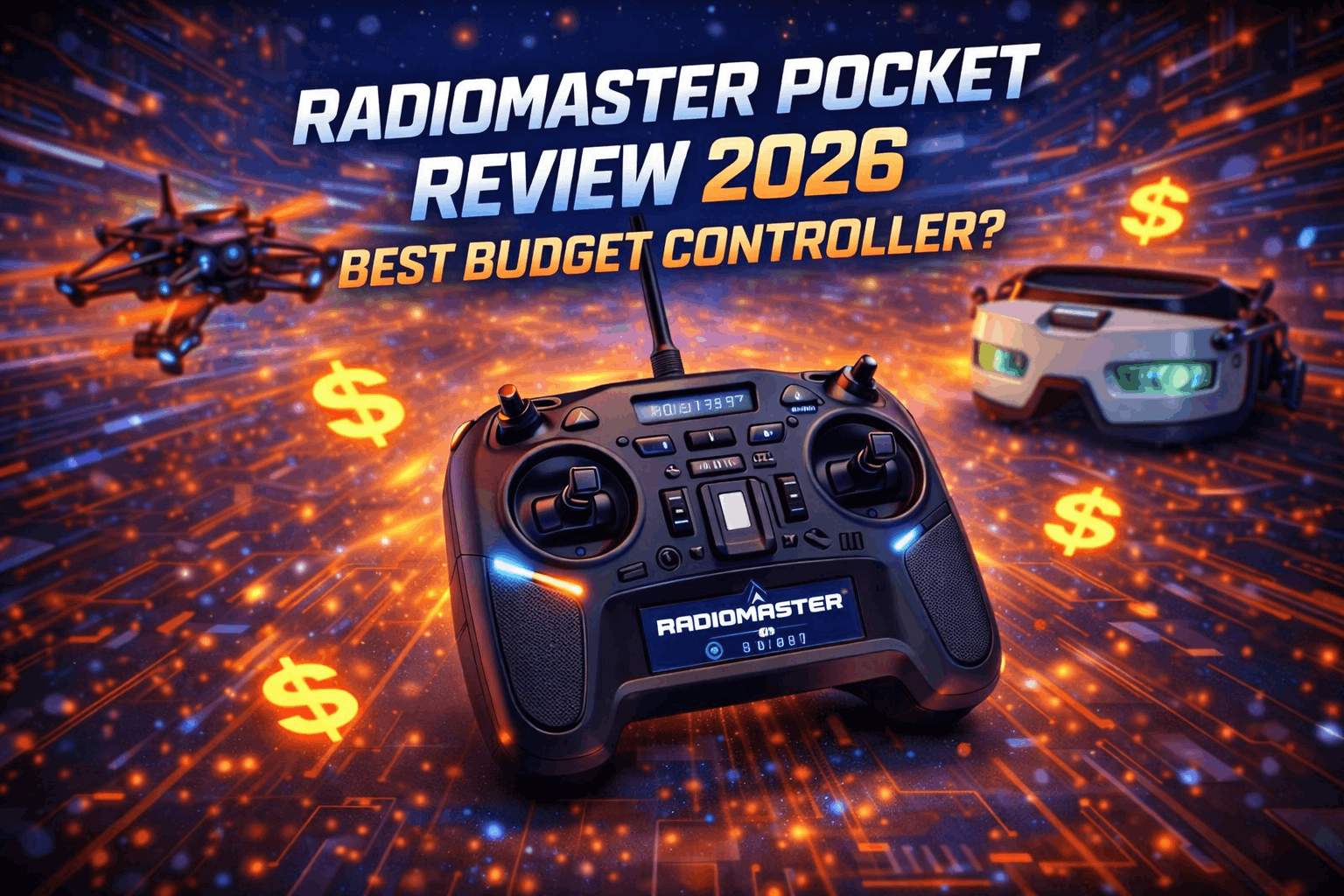
Budget FPV controllers usually mean compromise. You get acceptable gimbals, limited features, and the lingering question of whether you should’ve just saved for something better. The Radiomaster Pocket breaks that pattern. At around $60–80 depending on the version and retailer, it’s not trying to be the absolute lowest-cost radio on the market – it’s trying to be the best value. I’ve been flying this thing for months now – quads, wings, and way too many late-night simulator sessions – and it’s clear Radiomaster knew exactly who they were building it for. The Pocket delivers genuinely good gimbal performance, full EdgeTX functionality, proper ExpressLRS or multi-protocol support, and a form factor that actually fits in a backpack without needing its own compartment.
The real question isn’t “is it any good?” – it is. The real question is whether it’s good enough to be your main radio, and whether it can hang with controllers that cost two or three times as much. In this Radiomaster Pocket review, I’ll walk you through what you actually get for the money, where the compromises are, and who should pick this over a TX16S, Boxer, or other budget radios.
Note: This guide contains affiliate links. If you purchase through our links, we may earn a commission at no extra cost to you. This helps support our testing and content creation.
Design & Build Quality
The “Pocket” name isn’t marketing fluff – this is a genuinely compact controller. Fold the antenna down, remove or screw in the stick ends, and it disappears into a small backpack compartment or even a larger jacket pocket. Compared to a full-size TX16S, it looks almost toy-like at first glance, but it doesn’t feel like a toy in the hands.
The shell is a single-piece polycarbonate design with either a charcoal or transparent finish. The plastic is lighter-duty than what you get on a TX16S or Boxer, but it doesn’t creak or flex in normal use. I’ve tossed mine loose into a backpack more times than I’d like to admit, let it rattle around in the car on the way to flying spots, and it’s taken a couple of minor drops onto concrete without complaining. Honestly, I expected the shell to crack at some point – it hasn’t. You can tell it’s an affordable controller when you tap on the casing, but it never feels dangerously flimsy.
Gimbal cutouts are well-positioned for a hybrid grip. Thumb flyers will feel immediately at home, and pinchers can make it work thanks to the slightly deeper grips and smart handrest contours. The removable stick ends are a surprisingly premium touch at this price – they screw off for transport and give a solid, grippy feel in use. I fly thumbs, and switching from my TX16S to the Pocket took maybe two packs to feel natural. Pinch grip pilots I’ve lent it to had a slightly longer adjustment period, but nobody hated it.
On the top side, you get a foldable antenna, two three-position switches, and two latching switches, plus a momentary switch tucked on the back. Everything is within reach without finger gymnastics, which is not always true for compact radios. The switches don’t have the same buttery feel as premium radios, but they’re consistent and don’t feel like they’re about to snap off.
The screen is a small 128×64 monochrome LCD, typical EdgeTX fare. It’s not going to impress anyone coming from a color TX16S screen, but it gets the job done. It’s backlit, readable in sunlight if you angle it right, and big enough to navigate menus without squinting. Radiomaster has used a familiar layout of SYS and MDL buttons with a clickable scroll wheel; if you’ve used a Boxer or TX16S, you’ll adapt in seconds.
In the hands, the Pocket is light but not hollow. I weighed mine at 382g with two Samsung 30Q 18650 cells installed – enough to feel anchored, but nowhere near as heavy as a full-size radio. For long sessions, that reduced weight genuinely matters; my wrists and fingers fatigue noticeably slower compared to the TX16S, especially on two-hour freestyle sessions where I’m flying thumbs the whole time.
Check current Radiomaster Pocket pricing and availability
Gimbal Performance
Gimbals make or break a controller, and this is where a lot of budget options quietly fall apart. The Radiomaster Pocket comes with hall-effect gimbals as standard. In simple terms, hall sensors use magnets instead of physical potentiometers to detect stick position. That means smoother movement, better long-term precision, and less wear over time. For a budget-friendly radio, having hall gimbals out of the box is a major win.
Out of the box, stick tension is set to a middle ground that works for most pilots. If you’re a hardcore pincher or like extremely loose or stiff sticks, you can tweak tension internally with the included springs, but most budget buyers won’t feel the need to open it immediately. The center detent on the throttle can be disabled in software or with a mechanical adjustment if you’re flying quads and don’t want mid-stick clicks. I removed my throttle detent on day one – it took about two minutes with a small screwdriver.
In flight, the gimbals feel… surprisingly refined. I ran the Pocket side-by-side with my TX16S for about three weeks, alternating between them on the same 5-inch freestyle quad. For smooth freestyle and cruising, micro-inputs land where you expect them to. The center point is stable – the radio isn’t hunting or drifting when you try to hover in place. Fast rolls and flips feel predictable, and when you jump into a simulator the muscle memory you build translates well to real quads.
This doesn’t mean the Pocket matches a TX16S with AG01 gimbals or a high-end custom build. The stick travel is slightly shorter – I measured roughly 80% of the throw compared to my TX16S – and the smaller body means your hand position is more compact. If you’re used to a full-size radio with long throw gimbals, you’ll initially feel less “resolution” in your inputs. For proximity flying and racing, that can matter; full-size radios still give you more fine control at the extremes of stick travel.
However, for the price bracket, the Pocket easily competes with and often beats other affordable radios. Compared to older budget transmitters like the Jumper T-Lite V2 or some entry-level BetaFPV radios, the Pocket’s gimbals are more consistent, feel more robust, and benefit from better EdgeTX integration and calibration.
The key point here is that the Pocket’s gimbals are not just “good for the price” – they’re genuinely good. I gave my Pocket to an intermediate pilot friend for a weekend of blind testing and he genuinely couldn’t tell the difference on his freestyle quad. That’s why it legitimately competes with controllers two to three times the price. For a complete breakdown of controller options at different price points, see our full FPV controller comparison.
EdgeTX Operating System
If you’re new to modern radios, EdgeTX is the open-source operating system that runs the show on the Radiomaster Pocket. Think of it as the brains of the radio: it handles model storage, mixes, switches, telemetry, and all the configuration that makes your quad, plane, or wing respond the way you want.
The Pocket comes preloaded with EdgeTX, so there’s no need to flash anything to get started. On first boot you’re greeted with the familiar “Welcome to EdgeTX” audio and a default model. For beginners, the amount of options can look overwhelming, but the interface is actually consistent and logical once you get past the first hour of exploration. My advice: don’t try to learn everything at once. Set up one model, bind one quad, and go fly. You’ll absorb the rest naturally over time.
Model setup follows the usual EdgeTX workflow: create a model, bind your receiver, set up inputs (sticks and switches), then map those inputs to outputs (channels). The scroll wheel and buttons make this process far less painful than some older radios that rely on awkward multi-button combos. If you want a deep dive into receiver configuration and Betaflight setup, we’ve covered that separately – the process is identical whether you’re using a Pocket or a TX16S.
The real strength of EdgeTX on the Pocket is that you’re not locked into a “beginner” mode. As your skills grow, the radio grows with you. You can add logical switches, complex mixes, flight mode logic, custom sounds, and telemetry screens just like you would on a TX16S. There’s no sense that this is a stripped-down OS because you bought a smaller radio.
The learning curve is there – no point pretending otherwise. I remember spending a confused evening trying to figure out why my arm switch wasn’t working, only to realize I’d mapped it to the wrong channel in my mixes. Classic beginner mistake, and one that EdgeTX’s logical layout actually helps you debug once you understand the signal chain. But it’s a one-time investment. Once you understand how one EdgeTX radio works, you understand them all. That means if you eventually add a TX16S or Boxer to your collection, your existing models and muscle memory transfer almost seamlessly.
Community support is another big point in EdgeTX’s favour. The Radiomaster Pocket benefits from an enormous user base, active forums, Discord servers, and YouTube content focused specifically on setup, tweaking, and troubleshooting. For a budget-friendly controller, that ecosystem is arguably more valuable than an extra switch or a slightly nicer plastic shell.
Features & Connectivity
The Radiomaster Pocket comes in two main RF flavours: an internal ExpressLRS 2.4GHz version, and a CC2500 multi-protocol version. This choice matters more than any individual spec because it determines what you can actually fly.
The ExpressLRS version is aimed squarely at modern FPV drones. ExpressLRS (ELRS) is an open-source, low-latency, long-range radio link that has become the default choice for many FPV pilots. With up to 250mW of output power on the internal ELRS module, the Pocket gives you more than enough range for typical freestyle, park flying, and even moderate long-range builds, especially if you enable dynamic power. I fly ELRS on everything now, and the Pocket’s built-in module has been rock-solid – I haven’t had a single failsafe in months of regular use.
The CC2500 multi-protocol version is more flexible if you fly a mix of older receivers, micro quads, and RC planes. It supports a range of protocols (depending on firmware), covering many FrSky-style and toy-grade receivers. For pure FPV quad usage, ELRS is the better long-term bet, but multi-protocol plus an external ELRS module in the nano bay gives you the best of both worlds. If you’re trying to decide between ELRS and Crossfire, my honest take is: go ELRS internal and save the money.
That nano module bay on the back opens up a lot of options. You can add an external ELRS, Crossfire, Tracer, or other long-range module if you eventually need more than 250mW or want to standardise your fleet around a specific ecosystem. For a controller at this price, having a usable external bay is a big deal – it means the radio doesn’t become obsolete the moment you change your RF preference.
Connectivity-wise, the Pocket has a USB-C port for charging, simulator use, and firmware updates. Plug it into a PC, Mac, or even some mobile devices, and it shows up as a standard USB joystick, making it perfect for FPV simulators like Liftoff, DRL, or Velocidrone. There’s also a trainer port if you want to buddy-box or integrate with more traditional RC training setups.
Telemetry support depends on your chosen RF module and receiver, but in practice you can get RSSI, link quality, battery voltage, and more on-screen and via audio alerts. Combined with haptic feedback and a surprisingly loud internal speaker, you’re well covered on situational awareness – essential for monitoring your LiPo batteries in flight.
Battery Life & Charging
Battery system design is another area where the Pocket feels like a “real” radio, not a toy. Instead of a built-in proprietary LiPo, it uses two standard 18650 Li-ion cells. Radiomaster doesn’t include batteries in the box, which is fair at this price point, and most pilots either have spares already or can pick up a decent pair cheaply.
I’ve been tracking my actual usage over the past few months. With two Samsung 30Q 3000mAh cells and the internal ELRS module running at 100mW (which is plenty for anything within a kilometer), I consistently get 8–9 hours of active use per charge. Bump the ELRS power up to 250mW and that drops to around 7 hours – still more than enough for a full day of flying. I’ve never actually drained it in a single session, and I’ve had some long field days.
Charging is handled via USB-C with QC3 fast charging support. Plug it into a capable charger and you can top up fully in about two to three hours, depending on your cell capacity. More importantly, you don’t have to pull the batteries out every time – though you can if you prefer charging them in a dedicated charger.
Power management is sensible. The radio idles at low consumption, warns you well before voltage gets critical, and doesn’t suddenly die mid-flight unless you’ve completely ignored every alert. Because it runs on standard cells, you can also carry a spare set in your bag and swap them in seconds if you’re flying all day. I keep a charged pair in my gear bag at all times – it’s just peace of mind.
For budget-conscious pilots, this matters. You’re not locked into an ageing built-in battery that will eventually fade; you’re using cells you can replace years down the line for the cost of a coffee or two.
The Value Proposition
Here’s where the Radiomaster Pocket really earns its reputation. This isn’t about chasing the lowest number on a spec sheet – it’s about what kind of flying experience you get for the money.
Compared to premium radios like the TX16S, you absolutely give up some things. You don’t get a big colour touchscreen, you don’t get as many switches and sliders, and the stick travel is shorter. If you’re deep into complex fixed-wing mixes with multiple flaps, gear, and custom functions, a full-size radio still makes your life easier. The TX16S also has more room for future expansion and typically comes with higher-end gimbals.
But the Pocket comfortably competes on the things that matter to most FPV pilots: reliable RF link, solid gimbals, EdgeTX flexibility, and portability. For many freestyle and casual long-range pilots, the experience in the field is surprisingly close. The main difference is feel and ergonomics, not core capability. That’s why I keep my Pocket as a dedicated travel radio even though I own a TX16S – it goes in the backpack every time I fly somewhere that isn’t my usual spot.
Against other budget options, the Pocket looks even stronger. Controllers in this price range often compromise on RF performance, skip hall gimbals, or run clunky proprietary firmware. The Pocket gives you ELRS or multi-protocol, hall gimbals, EdgeTX, and a nano module bay in one package. If you’re building a complete budget setup under $500, the Pocket is where I’d allocate the controller budget without hesitation.
For absolute beginners on a tight budget, the Pocket is a very sensible first radio. You can start on the simulator, then bind to whoop-class quads or a beginner-friendly drone, then move up to 5-inch builds without outgrowing the controller immediately. It doesn’t feel like a disposable stepping stone.
For experienced pilots, the Pocket shines as a backup or travel radio. It’s small enough to live in your bag full-time, robust enough to trust on real flights, and fully compatible with the same EdgeTX ecosystem you may already be using. If you fly with friends or teach newcomers, having a capable “loaner” radio that doesn’t cost premium money is incredibly useful. I’ve lent mine to three different people learning to fly, and every one of them found it comfortable to use straight away.
Simulator-only users are in an even easier position. If all you want is a comfortable, EdgeTX-based controller with good gimbals for sim practice, the Pocket is hard to beat. You’re not paying for RF features you’ll never use, but you’re still training on the same interface and feel you’d use in the real world.
Check Radiomaster Pocket on Amazon
The bottom line: the Radiomaster Pocket delivers a flying experience that punches well above its price, with compromises that are easy to accept for the target audience. It won’t replace a TX16S for everyone, but it absolutely makes you question whether you need a premium radio for most everyday FPV.
What It’s Not Good For
No budget-friendly controller is perfect, and pretending otherwise helps no one. The Pocket has clear limits, and knowing them upfront will save you frustration – and potentially an upgrade – later.
If you’re deep into complex fixed-wing or long-range builds that use many channels, sliders, and dedicated switches, you’ll feel constrained. The limited number of physical controls and lack of sliders makes advanced plane setups more fiddly. You can do it in EdgeTX, but you’ll spend more time thinking about how to multiplex functions on a small number of switches. I tried setting up a wing with dual elevon mix, flaps, and a drop mechanism on the Pocket – it worked, but I was fighting the switch count the whole time. On my TX16S, it took half the effort.
Pilots who live for the feel of full-size radios may also find the Pocket too compact. The shorter stick throw and smaller grip area reduce the available physical resolution in your movements. For ultra-precise racing lines or intricate long-range mountain sweeps, a TX16S or Boxer still gives you a bit more control authority. If you’re chasing those extra kilometres of range, the 250mW internal ELRS might also feel limiting.
Display-wise, if you’re used to big colour screens with telemetry graphs, touch interaction, and elaborate LUA scripts, the monochrome screen will feel basic. EdgeTX still runs everything you need, but the user experience is more old-school.
Another limitation is RF headroom on the built-in ELRS module. At 250mW max, it’s perfectly adequate for most flying, but if you’re chasing multi-kilometre mountain dives, you’ll want a 500mW or 1W external module. The good news is that the nano bay gives you that path, but it’s an extra cost.
Finally, if you already own a high-end radio with great gimbals and you’re purely flying locally, the Pocket isn’t a mandatory upgrade. It’s a side-grade focused on portability and value, not a straight performance leap.
Buy If / Skip If
Buy the Radiomaster Pocket if:
- You’re a beginner building your first setup and want a controller you won’t outgrow in six months
- You need a compact travel or backup radio alongside a full-size TX16S or Boxer
- You fly primarily freestyle, park flying, or whoops and don’t need 12 switches
- You want quality hall-effect gimbals and EdgeTX without spending $150+
- You’re a sim-only pilot who wants a proper radio feel for practice
- You’re on a tight budget and need to allocate funds to goggles and a quad instead
Skip the Radiomaster Pocket if:
- You fly complex fixed-wing setups that need multiple sliders and 6+ switches
- You strongly prefer full-size radios and won’t compromise on stick throw
- You’re already pushing extreme long-range and need 1W output built-in
- You want a colour touchscreen and advanced telemetry widgets
- You already own a TX16S and don’t travel enough to justify a second radio
At $60–80, the Pocket sits in a sweet spot where the risk is very low. Even if you eventually upgrade, it earns its keep as a backup, travel, or loaner radio. That’s honestly why I recommend it so often – the downside is minimal.
Shop Radiomaster Pocket on Amazon
Pros & Cons
Pros:
- Excellent value for money with hall-effect gimbals and EdgeTX at a budget-friendly price
- Compact, lightweight form factor that’s genuinely easy to travel with
- Choice of internal ExpressLRS or CC2500 multi-protocol RF modules
- Nano external module bay for ELRS, Crossfire, and other long-range modules
- Runs full EdgeTX with deep customization and strong community support
- Uses standard 18650 batteries with long real-world runtime and easy replacement
- Thoughtful ergonomics for thumb flyers and adaptable for pinchers
- USB-C connectivity for charging and simulator use without extra dongles
Cons:
- Smaller gimbals and shorter stick throw than full-size radios like the TX16S
- Monochrome screen feels basic compared to larger colour displays
- Limited switches and no sliders make complex fixed-wing setups less convenient
- Built-in ELRS power tops out around 250mW; serious long-range needs an external module
- Plastic shell feels less premium than higher-end Radiomaster models
- Not ideal for pilots who strongly prefer the feel of full-size radios
FAQ: Radiomaster Pocket
Is the Radiomaster Pocket good enough as a first and only controller?
Yes, for most new FPV pilots the Pocket is more than capable as a primary radio. It supports modern protocols like ExpressLRS, runs EdgeTX, and has quality hall gimbals, so you can grow from micros to 5-inch quads without immediately outgrowing it. I’d recommend it as a first radio without hesitation – it’s what I lend to friends who are just getting started.
Radiomaster Pocket vs TX16S – which should I buy first?
If you value portability and budget-friendliness, the Pocket makes more sense as a starter. If you already know you want a full-size radio with maximum switches, bigger screen, and future-proof expansion, the TX16S is the better long-term investment – but it costs significantly more and is less backpack-friendly. I own both, and honestly the Pocket gets more use than I expected because it’s always in my bag.
Can I use the Radiomaster Pocket only for simulators?
Absolutely. Plug it into your PC via USB-C and it shows up as a standard game controller. For sim-only use, it offers better gimbals and ergonomics than many “sim-only” bargain controllers, while still giving you the option to fly real quads later. I used mine exclusively on Velocidrone and Liftoff for the first couple of weeks just to build muscle memory.
Does the Pocket have enough range for long-range FPV?
With the internal ELRS module at up to 250mW, it has plenty of range for typical freestyle and moderate long-range flying. For extreme distances or heavy penetration through obstacles, pairing it with an external 500mW or 1W ELRS or Crossfire module in the nano bay is a smarter choice. Check our range guide for more on maximizing distance.
Is the Radiomaster Pocket suitable for fixed-wing and RC planes?
Yes, it can handle planes and wings just fine in EdgeTX, including dual rates, mixes, and flaps. However, the limited number of switches and lack of sliders mean very complex plane setups are more comfortable on a full-size radio with more physical controls.
What’s the biggest compromise compared to premium controllers?
The main compromise is ergonomics and interface – smaller gimbals, fewer switches, and a basic monochrome screen. In terms of core capability and RF performance, it holds up well, but it doesn’t offer the same luxurious feel or convenience features as something like a TX16S.
Can I upgrade from the Pocket later without losing my setups?
Yes. Because it runs EdgeTX, you can migrate your models and general setup knowledge directly to another EdgeTX radio later. Think of the Pocket as a low-risk entry point into the same ecosystem that powers many premium transmitters.
How does the Pocket compare to the BetaFPV LiteRadio 3 Pro?
The LiteRadio 3 Pro is slightly cheaper but uses potentiometer gimbals instead of hall sensors, and runs a more limited firmware. The Pocket’s hall gimbals, full EdgeTX support, and nano module bay make it the better long-term investment. I’ve tried both – the difference in gimbal feel alone justifies the extra $15-20.
Final Verdict
The Radiomaster Pocket is not a novelty gadget – it’s a genuinely capable, affordable FPV radio that hits a sweet spot between price, features, and portability. It brings hall-effect gimbals, ExpressLRS or multi-protocol RF, EdgeTX, and a nano module bay into a package that costs far less than most “serious” controllers, without feeling like a throwaway compromise.
After months of using it as both a primary and backup radio, I can say this: the Pocket earned a permanent spot in my gear rotation. It went from “interesting budget option to test” to the radio I grab every time I’m heading out light – which, honestly, is most of the time. My TX16S stays home more often than I ever expected.
For budget-conscious beginners, simulator pilots, and experienced flyers who want a compact travel or backup radio, the Pocket is easy to recommend. You get an EdgeTX controller that can grow with you, power options that make all-day flying realistic, and an ergonomics package that’s comfortable for most hand sizes. It fully deserves a spot in any “best budget FPV controller” shortlist.
If you already fly with a TX16S or similar high-end radio and love the full-size feel and feature set, the Pocket won’t replace it – but it might still earn a place in your bag for trips and casual sessions. And if you know you’ll be building very complex setups or pushing extreme long-range from day one, starting with a larger, more capable radio could save you an upgrade.
For everyone else, the Radiomaster Pocket is exactly what a budget FPV controller should be in 2026: affordable, flexible, and far more capable than its size and price suggest.
Shop Radiomaster Pocket and compatible accessories on Amazon