Introduction
I’ve lost a drone once to a range miscalculation. It was a 5-inch freestyle quad with analog video, and I pushed about 1.5km out over a field thinking I had plenty of margin. The video started getting snowy, I turned back, and the feed cut completely at maybe 1.2km on the return — different angle, different antenna orientation, different result. I had to walk half a kilometer into a cornfield using my last GPS coordinates. Found it, but only because I got lucky with the telemetry.
That experience taught me that range isn’t a single number on a spec sheet. It’s a combination of equipment, environment, antenna orientation, weather, and honestly a bit of luck. I’ve spent three years since then testing different video systems, antenna combinations, and flying locations, and the gap between theoretical range and real-world range is consistently bigger than most pilots expect.
This guide covers everything I’ve learned about FPV range — what actually limits it, realistic expectations for each video system, how to maximize what you’ve got, and the equipment upgrades that genuinely make a difference versus the ones that waste money.
This guide contains affiliate links. Purchases through these links support FPVDroneGuide.com at no extra cost to you.
Understanding FPV Range: Two Separate Systems
Range in FPV actually involves two independent radio links, and most pilots conflate them.
Video range is how far your drone can transmit a flyable image to your goggles. This is almost always the limiting factor. When pilots say “I lost signal,” they usually mean video died — the screen went black or broke into digital blocks.
Control range is how far your transmitter can send stick inputs to the drone’s receiver. Modern protocols like ELRS and Crossfire achieve 10-50km routinely. I’ve never had control range be the limiting factor on any of my builds — it’s always video that gives out first.
Your practical range is whichever system fails first. For 95% of setups, that’s video. So that’s where this guide focuses most of its attention.
The Physics You Need to Know
You don’t need an engineering degree, but understanding two principles explains most range behavior.
Inverse square law: Double your distance, signal drops to one-quarter strength. Triple the distance, one-ninth. This is why the jump from 200mW to 400mW VTX power doesn’t double your range — it only adds about 41%. You’d need to quadruple power to double range. I learned this the hard way chasing range through power output alone before upgrading antennas, which would have been cheaper and more effective.
Frequency behavior: Lower frequencies travel farther and penetrate obstacles better but need larger antennas. Higher frequencies (5.8GHz, where most FPV video lives) support compact antennas but don’t travel as far and get blocked by obstacles more easily. This is why 900MHz control links (ELRS, Crossfire) massively outrange 5.8GHz video systems.
What Actually Limits Your Range
Video Transmitter Power
Your VTX broadcasts the camera feed. Its power output sets your baseline range ceiling.
25mW — Standard on tiny whoops and some beginner drones. I get 100-200 meters reliably, which is fine for indoor flying or a small park. Nobody flies tiny whoops for range.
200mW — The default on most 5-inch racing and freestyle quads. In open areas with decent antennas, I consistently get 500m-2km. This covers 90% of my freestyle flying. My Nazgul Evoque runs at 200mW for local sessions and I’ve never felt range-limited at the spots I fly.
600-800mW — Where range starts getting serious. I run 600mW on my mid-range builds and get 3-5km with quality antennas. Heat becomes a real consideration here — my first VTX running at 800mW didn’t have adequate cooling, and it thermal-throttled back to 200mW mid-flight without warning. Now I only run high power on VTXs with proper heat sinks and airflow.
1000mW+ — Long-range territory. Combined with DJI digital, this pushes 10km+. But you need active cooling, larger batteries to feed the power draw, and you should verify local power regulations. In the US, FCC allows approximately 800mW EIRP on 5.8GHz. Europe restricts to 25mW in most countries — wildly different.
The key insight I wish someone had told me early: don’t chase range through power alone. Going from 200mW to 600mW might add 30-40% range. Upgrading from stock antennas to quality ones on the same 200mW VTX can add 50%+ range for less money.
Antennas: The Most Underrated Factor
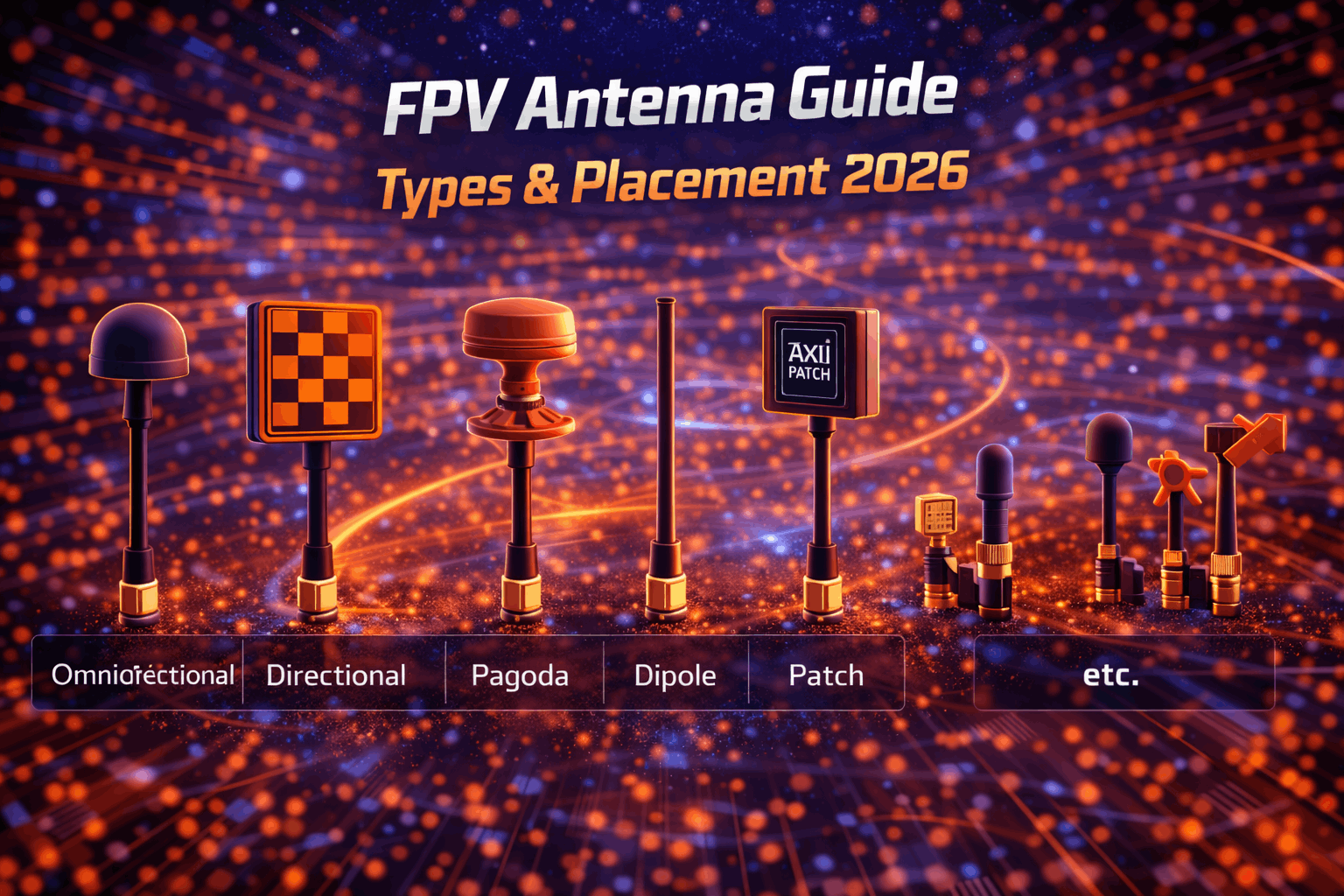
Antenna choice and placement is probably where I see the most range left on the table, including on my own early builds.
Stock linear antennas come on most RTF drones and budget goggles. They work, but they’re leaving 30-50% of your potential range unused. My first real range improvement came from swapping the stock dipole on my goggles for circular polarized — same drone, same VTX power, noticeably better range and less static.
Circular polarized (CP) antennas — LHCP or RHCP — dramatically improve range by matching the transmitted signal’s polarization and rejecting multipath interference (signals bouncing off the ground and buildings). Upgrading both drone and goggle antennas to CP typically costs $40-80 total and gives you 30-50% more range. Best money-per-range upgrade available.
Directional antennas (patch, helical) focus signal energy in one direction. On my goggles, I run one omnidirectional and one patch antenna pointed toward my flying area. The diversity receiver picks whichever gets the better signal. For long-range flights, this combo has given me consistently 40-60% more range than two omnis.
The critical polarization rule: Your drone’s VTX antenna and your goggle antennas MUST use the same polarization. LHCP with LHCP or RHCP with RHCP. Mix them and you lose 90% of your signal. A friend spent a week troubleshooting terrible range on a new build before discovering his new VTX antenna was RHCP while his goggles had LHCP. Swapped one antenna, instant fix.
Placement matters as much as the antenna itself. I’ve tested this directly: VTX antenna vertical (perpendicular to ground when drone is level) versus angled 45° — the vertical mount consistently gave me 25-30% better range. Same antenna, same flight path, just orientation. Most racing frames have dedicated vertical mounts for exactly this reason. If yours doesn’t, add one.
Goggle antenna orientation matters equally. I keep mine vertical or angled slightly upward. Horizontal goggle antennas cut range by 30-50% in my testing.
Video System Technology
The underlying video technology sets a fundamental range ceiling that no amount of antenna optimization can overcome.
Analog 5.8GHz — The traditional standard. With quality antennas and 200mW, I reliably get 1-2km. Professional setups with 600mW and premium antennas push 3-4km in ideal conditions. The beautiful thing about analog is the gradual degradation — static creeps in progressively as you approach limits, giving you clear warning to turn back. I’ve saved myself dozens of times by recognizing increasing snow in my feed.
DJI O3/O4 — Revolutionized FPV range. The DJI O4 Air Unit is my current go-to for any build where range matters. My O4 setup in an open field has maintained clean video to 8km+ (I didn’t push further because I was already beyond VLOS and getting nervous). In typical flying with some obstacles and moderate interference, I get 3-5km without thinking about it. The downside: digital maintains a perfect image until it suddenly fails — blocky artifacts then black screen with little warning. That cliff-edge failure is psychologically harder to manage than analog’s gradual static.
Walksnail Avatar — I’ve tested Avatar on two builds and consistently get 3-5km in good conditions, 1.5-2km in urban environments. It bridges the gap between analog and DJI nicely. Digital quality without full DJI ecosystem lock-in. For pilots who fly within 3km radius, Avatar is more than adequate.
HDZero — The low-latency digital option. The HDZero VTX tops out at 2-3km range with good equipment in my experience. Where HDZero shines is racing — the latency is analog-like while giving digital clarity. I’ve used it at race events where range rarely matters beyond 500m. If you race primarily, HDZero’s latency advantage matters more than DJI’s range advantage.
Practical bottom line: if you need range beyond 3km, DJI O3/O4 is basically required. Under 3km, any digital system works well. Analog still makes sense for racing, micro builds, and budget setups where cost matters.
Antenna Polarization Matching
This is a technical detail that sounds minor but causes catastrophic range loss if wrong, so it deserves its own section.
Radio waves have polarization — the orientation of the electromagnetic field. Circular polarized antennas come in LHCP (Left Hand) and RHCP (Right Hand) varieties. The critical rule: both drone VTX antenna and goggle antennas must use the same type. LHCP with LHCP works perfectly. RHCP with RHCP works perfectly. LHCP drone with RHCP goggles loses approximately 90% of signal strength — your range drops to 10-20% of what it should be.
Most FPV equipment defaults to LHCP. The problem happens when you mix gear from different sources or upgrade antennas without checking. Before buying any antenna, verify what your current setup uses and match accordingly.
Some pilots deliberately use cross-polarized systems when flying with others — if your group uses LHCP, running RHCP minimizes interference between pilots. This is an advanced technique that trades some raw signal for interference rejection. Not recommended for beginners or long-range work.
Environmental Factors
The same equipment performs drastically differently depending on where and when you fly. I’ve seen my own setups vary by 40-60% between locations.
Urban vs rural: My O4 setup that hits 5km+ in open farmland drops to 1.5-2km in my city. WiFi networks, cellular towers, and buildings all chip away at range. Dense residential or commercial areas are the worst — I’ve had analog breakup at 400m in downtown areas where the same setup flies 1.5km in a park.
Obstacles: Trees, buildings, hills — anything between you and the drone absorbs signal. The worst experience I’ve had was flying behind a concrete parking garage. Went from perfect signal to complete blackout in about 10 meters of lateral movement. Concrete and steel are essentially walls to 5.8GHz.
Other FPV pilots: At group flying sessions and races, frequency coordination is essential. I’ve had video completely wiped out by another pilot on an adjacent channel running high power. Even adjacent channels cause interference when transmitters are close. This is why race organizers assign specific channels — and why the racing community takes frequency management seriously.
Power lines: I fly near high-voltage transmission lines semi-regularly at one of my favorite spots. The RF noise is real — I lose maybe 20% range compared to the same field 500m away from the lines.
Weather: Rain and fog cause moderate attenuation at 5.8GHz — I notice maybe 10-20% range reduction in heavy rain. Not dramatic, but it matters when you’re near your limits. Cold weather affects batteries more than signal — cold packs sag faster, meaning less flight time and effectively less range.
Realistic Range by Setup Type
These are my actual numbers, not marketing claims. Based on my equipment in typical conditions (mix of suburban and rural, mid-Atlantic US).
Tiny Whoops (25mW analog)
Indoor: 30-80m depending on walls and construction. My Pavo Pico flies every room in my house fine but breaks up trying to reach the far end of a commercial building through multiple concrete walls.
Outdoor: 100-250m open air. Fine for a park or backyard. Not meant for range.
Standard 5-inch (200mW analog, CP antennas)
Open field: 1-2km reliably. Suburban with obstacles: 500m-1km. Urban: 300-700m.
This covers most freestyle and racing needs. I fly analog on my beater quad and rarely feel limited because I’m usually within 500m doing freestyle tricks.
5-inch Digital (DJI O4, 600mW, quality antennas)
Open field: 5-8km+. Suburban: 2-4km. Urban: 1-2km.
My primary freestyle setup. For 99% of my flying, range is never a thought. Battery life limits me before signal does.
Dedicated Long-Range (DJI O4, 1000mW, directional + omni, 7-inch)
Open field: 10-15km+. Mixed terrain: 5-8km. With antenna tracker: 15-20km+.
Specialized equipment for long-range exploration. My 7-inch build with 3000mAh 6S carries enough battery for 20+ minutes of cruise, more than enough for 10km out-and-back with safety margin.
How to Systematically Maximize Your Range
Step 1: Antenna Upgrades (Best ROI)
This should be everyone’s first range upgrade. The return per dollar is unmatched.
Drone side: Replace stock antenna with quality omnidirectional CP antenna. Pagoda or axial-type designs work well. Mount it vertical. Budget: $15-25.
Goggles side: Run diversity — one omnidirectional CP for general coverage, one directional patch pointed toward your flying area. My setup is a TrueRC Singularity omni + a patch antenna. Budget: $50-80 for the pair.
Search FPV antennas on GetFPV | Search on Amazon
Verify polarization matches. All LHCP or all RHCP across every antenna. This single check prevents the most common range-killing mistake.
Total antenna upgrade cost: $65-105. Expected range improvement: 30-60%. Best upgrade available before touching anything else.
Step 2: Optimize What You Have
Before spending more money, extract maximum performance from current equipment.
Verify VTX power settings in Betaflight. I’ve helped three people troubleshoot “bad range” that turned out to be VTX accidentally set to 25mW instead of 200mW after a firmware update. PIT mode (0mW bench testing mode) left enabled is another classic one.
Check antenna condition. Bent, cracked, or corroded antennas kill range silently. After any crash, inspect connectors. I had a VTX antenna with a hairline crack in the connector shell — invisible until wiggled, but causing 60% range loss.
Ensure VTX cooling. Overheating VTXs throttle power without telling you. If your VTX is sandwiched between electronics with no airflow, it may be running at half rated power. I added a small aluminum heat sink ($3) to my 600mW VTX and gained measurable range.
Try different channels. Some 5.8GHz channels are cleaner than others in your area. I tested all Raceband channels at my main spot and found R2 and R7 consistently gave 15-20% better range than R4 and R5, likely due to local WiFi interference.
Step 3: VTX Power Increase
After antennas and configuration, more power gives the next increment.
200mW to 600mW adds roughly 30-40% range. 600mW to 1000mW adds another 20-30%. Diminishing returns from the inverse square law. Check local regulations before increasing — US allows ~800mW, Europe restricts to 25mW.
Higher power means more battery drain and more heat. My 600mW VTX noticeably warms the stack and costs 15-20 seconds of flight time versus 200mW. At 1000mW, heat management becomes a real design consideration.
Step 4: Video System Upgrade
If you’re on analog and need more range, digital is the biggest single leap. DJI O4 gives 5-10x the range for roughly $400-500 investment (air unit + compatible goggles). I made this switch 18 months ago and the difference was like going from walkie-talkie to cell phone.
Step 5: Purpose-Built Long-Range
For serious range beyond 5km, you need a dedicated build.
Larger props: 7-inch minimum for efficiency. My long-range build swings 7x3.5 props on 2806.5 motors at 1300KV — optimized for cruise, not speed.
Big batteries: 2200-6000mAh 6S LiPo depending on target range. My 7-inch carries 3000mAh 6S giving 22-25 minutes cruise. For 10km out-and-back, you need that endurance.
GPS + Return-to-Home: Absolutely mandatory. No exceptions. If video cuts at 8km, GPS RTH autonomously flies the drone back. Flying long-range without GPS is gambling with expensive equipment. I use a Matek M8Q-5883 GPS module ($35) on every build that goes beyond 2km.
Telemetry monitoring: Battery voltage, current draw, and RSSI in real-time through your OSD. On long-range flights, I check RSSI every 30 seconds. Below 40% of peak, I start returning regardless of plans.
Equipment Recommendations by Range Goal
Recreational Flying: Under 1km
Most recreational pilots — racers, freestylers, park flyers — never need more than 1km of range. This is the sweet spot where equipment choice is about flying experience, not range optimization.
Video system: Analog with 200mW VTX works perfectly at this range with decent antennas. HDZero is excellent here too — its low latency shines for racing, and 1km is well within its comfort zone. Even the most basic digital system is overkill for this range envelope, so spend the money on other components instead.
Antennas: Upgrade from stock to quality CP on both drone and goggles. TrueRC or ImmersionRC omnis at $20-30 each cover everything. No need for directional antennas — omnidirectional coverage is more practical when you’re flying loops and orbits in all directions.
Drone: Any quality 5-inch racing or freestyle quad. Nothing special needed for range. See our racing drones guide for specific picks. Standard 1500-1800mAh 6S batteries provide adequate flight time for this range.
What I run for sub-1km: My beater freestyle quad with analog 200mW, CP omni antennas, and 1500mAh packs. Never once felt range-limited. At most spots, I’m within 400m doing power loops and split-S runs.
Budget: $600-1,200 total setup.
Extended Flying: 2-5km
This range opens up significant exploration — flying across fields, along rivers, over ridgelines. You start needing equipment choices that prioritize range alongside performance.
Video system: DJI O4 or Walksnail Avatar strongly recommended. Both reliably cover 3-5km with proper setup, giving comfortable margin within this range envelope. I switched to O4 specifically because I was hitting analog limits at 1.5km at one of my favorite spots and wanted the freedom to explore further.
Antennas: This is where diversity with directional antenna starts mattering. One omnidirectional CP + one patch antenna on goggles, pointed toward your primary flying direction. On the drone, quality omnidirectional CP. The directional antenna adds 40-60% range in the direction you point it.
Batteries: Step up to 1800-2200mAh for longer flight time. At 3-5km, you need enough battery for the outbound trip, the flying itself, AND the return with safety margin. I budget 30% of my pack for the return trip on any extended flight.
GPS and telemetry: Strongly recommended at this range. RTH gives you a safety net if video degrades unexpectedly. OSD telemetry showing battery voltage and RSSI helps you monitor margins in real-time. I wouldn’t fly beyond 2km without at least basic GPS.
Budget: $1,000-1,800 total setup.
Long-Range Flying: 5-10km
This is serious long-range territory requiring purpose-built equipment and careful flight planning.
Video system: DJI O4 is essentially required. Nothing else reliably handles 5-10km in real-world conditions. Running at 600-1000mW with proper cooling.
Antennas: Premium directional antenna on goggles pointed at the flight path is critical. My goggle setup for long-range is a TrueRC Singularity omni + a high-gain patch. On the drone, best quality omnidirectional available — the drone changes orientation constantly, so directional doesn’t work on the aircraft side.
Drone build: Purpose-built for efficiency. 7-inch propellers on efficient 2806.5 motors at 1300KV or lower. Frame designed for larger batteries. My 7-inch long-range build weighs 650g without battery and carries a 3000mAh 6S that delivers 22-25 minutes of cruise time.
Batteries: 3000mAh minimum, many long-range pilots use 4000-6000mAh. Weight increases but so does flight time proportionally. The math is simple: 10km out-and-back at cruising speed takes 15-20 minutes. You need a pack that comfortably handles that plus 30% safety margin.
Control link: ELRS or Crossfire mandatory. Standard 2.4GHz protocols may hit control range limits before video at this distance. A RadioMaster TX16S MKII with ELRS on 900MHz handles 10km+ without breaking a sweat.
GPS + RTH: Absolutely mandatory. Non-negotiable. I also run a buzzer that activates on failsafe so I can locate the drone by sound if GPS coordinates aren’t precise enough after a signal-loss landing.
Budget: $1,500-2,500 total setup.
Extreme Long-Range: 10km+
This is specialized territory requiring dedicated equipment, planning, and often a team.
Everything from the 5-10km tier plus: VTX running at legal maximum power with active cooling (heat sink + airflow channel in frame design). Antenna tracking system on the ground — a pan-tilt mount that automatically points directional antenna at the drone using GPS telemetry ($300-800 for commercial, ~$200 DIY). Redundant GPS modules on the aircraft. Batteries in the 6000-10,000mAh range giving 30-45 minute flight times.
At 15km+, this becomes a team activity. One person flies while another monitors telemetry, tracks signal strength, and manages the antenna tracker. Flying 20km solo is possible but risky — a lot can go wrong and you need situational awareness that’s hard to maintain while piloting.
Some extreme long-range pilots run dual video systems — primary DJI with analog backup. If the digital system fails, analog gives enough signal to navigate home from closer range. Expensive redundancy, but when your aircraft is 15km away, losing it hurts.
Budget: $2,500-4,000+ total setup.
Testing Your Actual Range
Don’t guess — test. Knowing your actual range versus hoping you have enough prevents expensive losses. Here’s the method I use for every new build.
Conducting a Safe Range Test
Choose your location carefully. Wide open field with clear line of sight for several kilometers. Rural farmland is ideal — flat, no buildings, minimal RF interference. Avoid testing near cell towers, power lines, or populated areas. I have a specific hayfield I use for all range testing because conditions are consistent there.
Plan before you fly. Set GPS home point. Verify RTH is configured and working (test it at close range first). Note your battery voltage at takeoff. Have a plan for what you’ll do if signal cuts — if RTH is configured, the drone handles it. If not, you’ll need those GPS coordinates.
Fly incrementally. Out to 500m, hover 10 seconds noting video quality and RSSI, return. Then 1km and back. Then 1.5km. At each distance, I note the RSSI value in my OSD and whether I see any video artifacts. Gradually extend until you see first signs of degradation — slight static on analog, or RSSI dropping below 50% of your close-range baseline on digital.
Your safe operating range is 60-70% of the distance where you first see degradation. If analog static starts at 2km, plan flights within 1.2-1.4km. If RSSI on DJI drops to warning level at 6km, fly within 4km. This margin accounts for variable conditions, different antenna orientations mid-flight, and the return trip.
Test multiple times under different conditions. RF environment changes day to day — weather, local interference sources, atmospheric conditions all vary. I test each new build minimum three times on different days before I trust a range number. My O4 freestyle build tested at 6.5km, 7.2km, and 5.8km across three tests — I use 4km as my comfortable operating limit.
Reading Signal Indicators
RSSI (Received Signal Strength Indicator) shows in your goggles or OSD. Higher number = stronger signal. I watch RSSI trend rather than absolute values — a steady decline is expected, a sudden drop means you’ve flown behind something or conditions changed. When RSSI hits 30-40% of your close-range value, start returning.
Video quality tells you different things depending on system. Analog develops progressive static — more snow as distance increases. This gradual warning is analog’s biggest advantage for range management. Digital (DJI, Walksnail, HDZero) maintains perfect image until it suddenly breaks into blocks or freezes. The cliff-edge failure of digital systems means you get less warning.
Audio warnings from goggles trigger when signal drops below preset thresholds. Don’t dismiss these — they’re calibrated to give advance notice. Every time my DJI goggles beep, I turn back. I’ve never regretted turning back; I have regretted pushing past a warning.
Latency increase — if you notice delayed response between stick inputs and drone movement on a digital system, signal is degrading and the system is struggling. Reduce distance immediately.
Troubleshooting Range Problems
Range Much Worse Than Expected
When your range is significantly below what your equipment should deliver, work through this checklist in order — it’s prioritized by how often each problem actually occurs in my experience helping other pilots.
1. Antenna polarization mismatch. LHCP vs RHCP between drone and goggles. This is the #1 range killer I’ve diagnosed for other pilots — probably 5 or 6 times. The signal loss is catastrophic (90%) and the symptom is terrible range that doesn’t match your equipment at all. Verify every antenna matches. If you recently changed any antenna, double-check the one you installed.
2. VTX power setting wrong. Open Betaflight, go to VTX tab, verify output power. Firmware updates sometimes reset power to 25mW. PIT mode (0mW bench testing mode) left enabled is another classic — I did this once myself after a bench session and spent 20 confused minutes at the field wondering why my video was dying at 200m.
3. Antenna damage. After any crash, inspect antenna connectors and elements. Bent, cracked, or corroded antennas degrade silently — you don’t get an error message, you just get bad range. My worst case: a hairline crack in the SMA connector shell that was invisible until I wiggled the antenna while powered on and watched the RSSI jump. That one crack was cutting my range by over half.
4. Antenna orientation. VTX antenna should be vertical when drone is level. If it’s tilted or horizontal after a crash repair, your radiation pattern shifts and range suffers in some directions. Similarly, goggle antennas pointing sideways or down cut range 30-50%.
5. VTX overheating. High-power VTXs thermal-throttle when they overheat, silently reducing output power. If your VTX is buried in the stack with no cooling, it may be running at a fraction of its rated power, especially on warm days. Touch it after landing — if it’s too hot to hold, it’s probably throttling. Heat sinks and airflow solve this.
6. RF interference. Try a different location or time of day. Try different VTX channels. If range is fine at a rural field but terrible at your usual spot, local interference is the culprit. WiFi networks, cell towers, and other electronics all contribute.
Video Breakup at Close Range (under 500m)
This isn’t a range problem — something is genuinely broken in your video chain. Close-range breakup should never happen with functional equipment.
Loose connections between camera, VTX, and power supply are the most common cause. A connection that seems tight on the bench can vibrate loose after 10 packs of flying. Resolder any suspect joints. I’ve “fixed” at least 4 video issues across my own builds and friends’ drones by reflowing solder joints that looked fine but had cold joints or micro-cracks.
Electrical noise from motors bleeding into the video signal creates lines, static, or rolling interference that gets worse with throttle input. The fix is usually a low-ESR capacitor directly on the VTX power input — a $0.50 part that takes 2 minutes to solder. I add capacitors to every build now as standard practice after dealing with motor noise on two separate quads.
Damaged camera cable — nicked, pinched, or partially severed cables cause intermittent video loss that seems random. After a crash, the camera can shift slightly and pinch the ribbon cable. Replacing the cable ($2-3) eliminates this. I carry spares in my field bag.
VTX overheating at close range happens more than you’d think in hot weather. If video is fine for the first minute then degrades, thermal throttling is likely. Improve VTX cooling.
Defective VTX or receiver module. If everything else checks out, test with known-good equipment. Swap goggles with a friend, try your drone with their goggles. This isolates whether the problem is transmit side or receive side.
Range Varies Significantly Between Flights
Inconsistent range is frustrating but usually has identifiable causes.
Location matters more than you think. I’ve measured 40% range variation between two spots that are 2km apart, just because one is near a cell tower and the other isn’t. Document where you fly and you’ll start seeing patterns.
Battery condition affects VTX power. Old batteries with high internal resistance sag under load, and voltage sag means your VTX might not maintain rated power during aggressive flying. If range seems worse on older packs, that’s probably why. Test with fresh batteries to confirm.
Temperature variations cause VTX thermal behavior to change. My 600mW VTX performs noticeably different between 10°C winter flying and 35°C summer sessions — I’ve measured roughly 30% range variation attributable to temperature alone. The VTX runs cooler and maintains rated power in cold weather; in summer heat, it throttles earlier.
Firmware updates sometimes reset VTX settings without warning. Any time you update Betaflight or your VTX firmware, verify power settings, channel, and mode haven’t reverted to defaults.
Legal Considerations
Range capability doesn’t equal permission to use it. I’ve seen pilots invest $2,000 in long-range equipment without researching whether they can legally fly it at full power in their country.
Power Output Regulations
VTX power limits vary dramatically by country and most pilots don’t realize this.
United States under FCC regulations allows approximately 800mW EIRP (Effective Isotropic Radiated Power) on 5.8GHz. This is relatively permissive — most long-range flying within the US is legal from a power perspective. Some serious long-range pilots pursue amateur radio licensing for additional power privileges and frequency access.
European Union under CE regulations restricts 5.8GHz to 25mW in most member countries. This is dramatically more restrictive than the US and severely limits range to a few hundred meters. Some European pilots use 2.4GHz video systems with different power allowances, though this creates potential conflicts with control systems on the same frequency band.
Australia allows moderate power levels — more than Europe but less than the US. Each country has its own specific limits. I’ve met pilots who moved between countries and assumed their power settings were universally legal — they weren’t.
The consequences of violating power regulations range from fines to equipment confiscation. If your VTX interferes with critical communications (aviation, emergency services), enforcement can be severe. Research your specific country before modifying power settings.
Visual Line of Sight Requirements
Most countries legally require Visual Line of Sight (VLOS) — meaning you can see your aircraft with your own eyes during operation. This directly conflicts with long-range FPV flying.
At 500 meters, most drones become difficult to see with naked eyes. Beyond 1km, VLOS is effectively impossible unless you’re flying something unusually large. FPV goggles don’t satisfy VLOS requirements in most jurisdictions — regulators distinguish between seeing the actual aircraft and seeing a video representation.
Beyond Visual Line of Sight (BVLOS) operation requires special authorization in most countries. These permits typically involve demonstrating safety measures, carrying specific insurance, and restricting operations to approved areas. In the US, BVLOS waivers from the FAA exist but require significant paperwork and justification.
The reality: many recreational pilots fly BVLOS in remote areas without formal authorization. The legal risk is lower in unpopulated areas far from airports, but lower risk doesn’t mean legal. Each pilot decides their own compliance level. My approach: I fly within VLOS for recreational sessions and only push range in remote locations with a spotter who maintains visual contact.
Altitude Restrictions
Most countries cap drone altitude at 400 feet (120 meters) AGL. This exists primarily for separation from manned aircraft. Higher altitude actually improves range — fewer ground obstacles between you and the drone — but you must stay within legal limits.
Terrain variations complicate this. In hills or mountains, the 400-foot limit applies above the terrain directly below the drone, not above your launch point. Flying over a valley means your legal altitude changes with the terrain profile.
Controlled airspace around airports has additional restrictions, typically prohibiting drone operations within several miles without specific authorization. Long-range flights that cover significant distance must account for airspace classifications along the entire route.
Full regulatory details — including registration requirements, no-fly zones, and country-specific rules — are covered in our FPV drone laws guide.
Advanced: Antenna Diversity and Tracking
Diversity Systems
Most quality goggles offer dual antenna ports with diversity switching — the receiver automatically picks whichever antenna has better signal.
My optimal setup: one omnidirectional CP + one directional patch pointed at the flying area. Good coverage from all directions plus maximized range in the primary flight path. I’ve measured 20-30% better effective range with this combo versus two identical omnis.
Antenna Tracking
For extreme long-range, tracking systems automatically point directional antennas at the drone using GPS telemetry. A high-gain helical on a pan-tilt tracker can add 50-100% range over fixed omni.
I’ve used a friend’s DIY tracker (ESP32-based, ~$200 in parts) and the range improvement was dramatic — clean O4 video to 12km where his fixed setup broke at 7km. But it adds complexity: telemetry configuration, GPS module on drone, calibration. And if the tracker fails, you have a directional antenna pointed the wrong way.
My recommendation: tracking makes sense if you regularly fly 10km+. Under that, fixed diversity antennas provide adequate range without the complexity and single-point-of-failure risk.
FAQ
How far can FPV drones fly?
100 meters to 30+ kilometers depending on equipment. Tiny whoops: 100-250m. Standard 5-inch analog: 1-2km. DJI digital: 5-15km. Dedicated long-range builds: 30km+ documented. Most recreational pilots fly within 500m-2km covering racing, freestyle, and casual exploration.
What’s the single best upgrade for more range?
Quality circular polarized antennas on both drone and goggles. $60-100 total for 30-60% improvement. Better return per dollar than increasing VTX power. My first recommendation for every pilot who cares about range.
DJI O4 vs analog — how much range difference?
In my testing, 5-10x consistently. Analog 200mW with good antennas: 1-2km. DJI O4 similar setup: 5-10km+. For anything beyond 3km, digital is essentially mandatory.
What’s the difference between LHCP and RHCP?
Rotation direction of radio waves. No performance difference. The critical rule: drone and goggles must match. Mismatch loses 90% of signal. Most FPV gear defaults to LHCP. Always verify before buying.
Do I need GPS for long-range flying?
Mandatory beyond 2-3km. GPS with Return-to-Home flies your drone back if video cuts. Costs $25-40. No reason to skip it on any build intended for extended range.
How far can I fly legally?
Most countries require VLOS, limiting recreational flying to 500m-1km practically. No US distance restriction but VLOS required. Beyond-VLOS needs permits. Altitude capped at 400 feet in most jurisdictions. Power limits vary: 800mW US, 25mW most of Europe. Check local regulations.
Can I fly 10km with analog?
Not reliably. Physics limits analog at 5.8GHz to ~3-4km maximum in perfect conditions. I’ve pushed analog to about 3km with 600mW and premium antennas but it was marginal. DJI O3/O4 required for 10km flights.
Does weather affect range?
Moderately. Rain/fog reduce 5.8GHz range 10-20%. Wind increases battery consumption reducing flight distance. Cold weather hits battery performance. I save long-range attempts for clear, calm days with 20% extra margin in poor weather.
What’s the total cost for a long-range setup?
$1,500-2,500 minimum for 5-10km capability. Includes: 7-inch build ($600-800), DJI O4 ($400-500), antennas ($100-150), batteries ($200-300), GPS ($30-50), transmitter with ELRS ($200-300), goggles ($400-600). Extreme 10km+ pushes to $2,500-4,000.