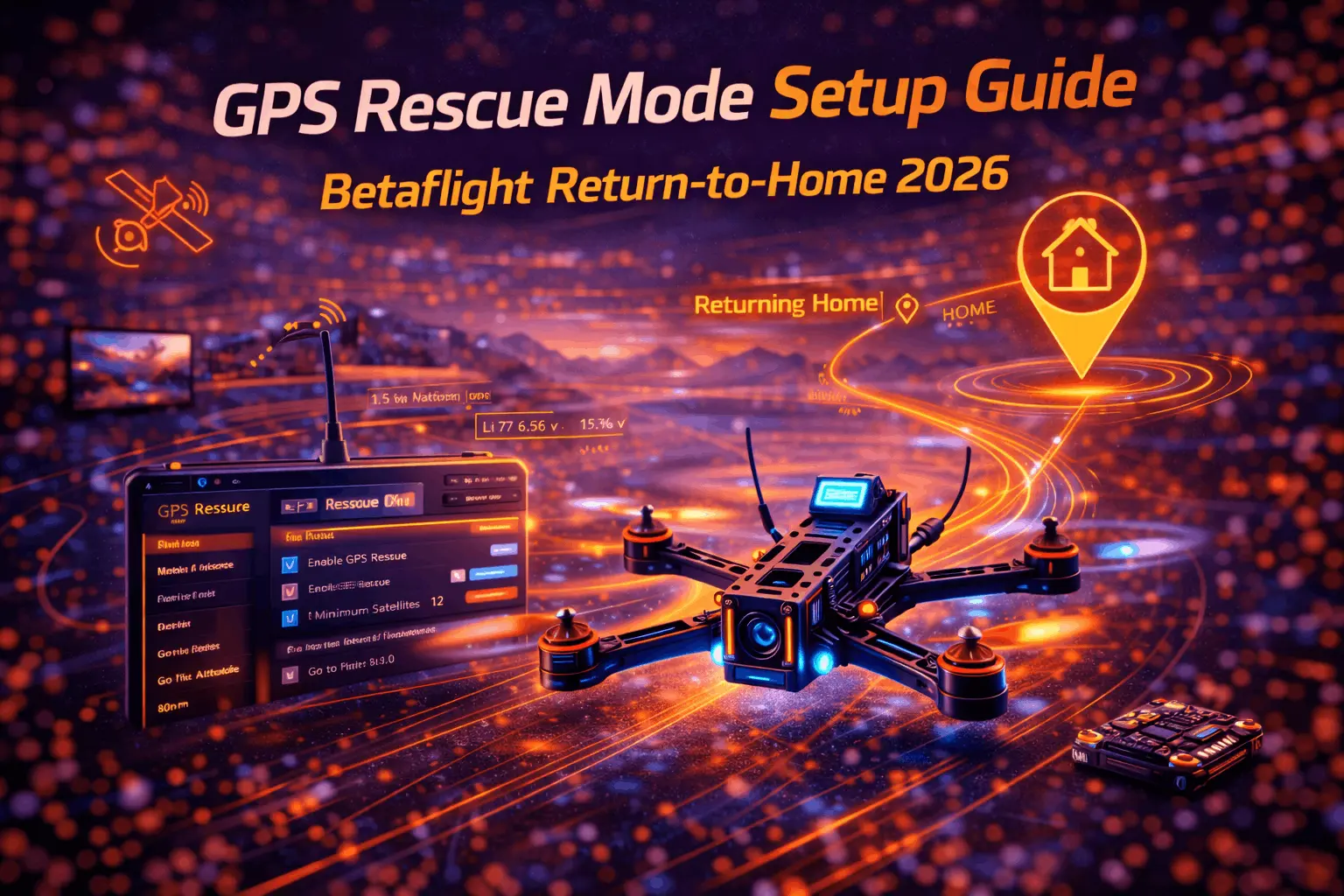
GPS Rescue has pulled more quads out of trees, ponds, and farmers’ fields than any other Betaflight feature. When your video cuts out mid-flight, when you get disoriented behind a building, or when your radio link drops completely, GPS Rescue climbs your quad to a safe altitude and flies it back toward you.
But here’s the thing — a misconfigured GPS Rescue is actually worse than having none at all. You get false confidence in a system that hasn’t been tested, and when the moment comes, it either doesn’t fire or sends your quad in the wrong direction. I’ve seen it happen. Twice on my own builds before I got the setup dialed in.
This guide covers everything from picking the right GPS module to testing the whole system before you actually need it.
How GPS Rescue Works (The Real Version)
When GPS Rescue triggers — either from radio signal loss, a failsafe timer, or you flipping a panic switch — here’s what actually happens:
The quad switches into angle mode, climbs to your configured rescue altitude, then uses sequential GPS coordinates to calculate which direction “home” is. It rotates to face that direction, flies toward home at your configured speed, and either hovers near the home point or attempts a landing.
The key detail most guides skip: Betaflight does not use the compass (magnetometer) for GPS Rescue heading. Even if your GPS module has a compass built in, Betaflight ignores it for rescue mode. Instead, it compares multiple GPS positions to figure out a movement vector — basically, it needs to move a bit before it knows which way it’s going. This is why GPS Rescue sometimes looks wobbly at first. The quad is zig-zagging to get a heading fix.
This means compass mounting and calibration, while useful for OSD heading display and iNav, doesn’t affect GPS Rescue accuracy in Betaflight. Don’t stress over compass placement if rescue mode is your only goal.
When it activates:
GPS Rescue triggers on radio signal loss (automatic failsafe) or manual switch activation. Video loss alone does NOT trigger rescue — your radio link has to actually fail. You can also set it as a panic button on a switch, which is honestly the more common real-world use: you lose your video feed, flip the switch, and the quad climbs above obstacles while you sort things out.
What it won’t do:
No obstacle avoidance. Zero. It flies a direct line to home at your set altitude. Trees, buildings, power lines — it’ll hit all of them if they’re in the path. This is why your rescue altitude setting is the single most important parameter. Set it higher than anything between you and wherever you might fly.
Battery capacity matters too. If you’re at 3.5V per cell and 800 meters out, GPS Rescue might not have enough juice to get home. Monitor your battery and don’t rely on rescue as an excuse to push range limits.
GPS Rescue vs DJI RTH:
DJI has obstacle sensors, multi-point path planning, and precision landing. Betaflight GPS Rescue is a straight-line return at a fixed altitude. It’s crude by comparison, but it’s free, it’s built into open-source firmware, and it works on any 5-inch freestyle build with a $13 GPS module strapped to it. For what it costs, it’s an incredible safety net.
Picking the Right GPS Module
Not all GPS modules are equal, and the market has shifted significantly toward M10-based chips. Here’s what actually works well in 2026, based on real community feedback and tested performance.
Top Picks
HGLRC M100 Mini (~$13) — This is the budget king right now. 15x15mm, 2.7g, M10 chip, 10Hz default update rate. No compass, which is fine since Betaflight doesn’t use it for rescue anyway. Gets to 8+ satellites in under a minute in clear sky. Oscar Liang and dozens of community builders swear by it for 5-inch freestyle builds. At this price, there’s no reason not to add GPS to every quad.
Flywoo GM10 Mini V3 (~$15-18) — Slightly larger at 18x18mm, 4.7g, also M10 chip with 10Hz default. Available with or without compass (the compass version uses QMC5883L and weighs 4.1g). Great satellite acquisition speed and reliable performance. A solid step up from the HGLRC if you want the compass for iNav compatibility or OSD heading data.
Matek M8Q-5883 (~$25-30) — The proven veteran. 20x20mm, 7g, older M8 chip but rock-solid reliability. Includes QMC5883L compass. 72-channel receiver with GPS, GLONASS, Galileo, and QZSS support. Excellent front-end filtering for noise rejection. If you want the most battle-tested module with compass included, this is it. Just know the M8 chip is a generation behind — satellite lock is a bit slower than M10 units.
Beitian BN-880 (~$15-20) — The classic budget GPS with HMC5883L compass. 28x28mm and 10g, so it’s the largest and heaviest option here. Default 1Hz update rate (configurable to 10Hz in u-center). Cold start averages 26 seconds. Still works fine, but the size makes it awkward on anything smaller than a 5-inch build. If you’re doing a long-range build where weight and size matter less, it’s a decent pick.
What Specs Actually Matter
Update rate is the big one. A 10Hz GPS sends position updates ten times per second, which gives Betaflight much smoother data to work with during rescue. The M10-based modules (HGLRC M100, Flywoo GM10) default to 10Hz. The BN-880 defaults to 1Hz — usable but noticeably choppier during rescue. You can change it through u-center software, but most people don’t bother.
Weight ranges from 2.7g (HGLRC M100 Mini) to 10g (BN-880). On a 5-inch freestyle quad weighing 600-700g, even 10g is negligible. On a tiny whoop or sub-250g build, every gram counts — go with the Flywoo Nano (2.2g) or HGLRC M100 Mini.
Compass is nice to have for OSD heading arrows and future iNav use, but strictly unnecessary for Betaflight GPS Rescue. Don’t pay a premium just for compass if rescue is your only goal.
Wiring: Four Wires, Five Minutes
GPS modules connect to your flight controller via a spare UART. It’s one of the simplest soldering jobs on a build.
Connections (note the cross-wiring):
- GPS TX → Flight Controller RX pad
- GPS RX → Flight Controller TX pad
- GPS 5V → FC 5V pad (preferably a pad that’s powered by USB too — this lets GPS warm-start while you’re plugged in at the bench)
- GPS GND → FC GND pad
If your module has compass wires (SDA/SCL), connect them to the FC’s I2C pads — but again, optional for rescue-only setups.
FC compatibility: Any F4 or F7 flight controller with a spare UART works. Most modern FCs have 4-6 UARTs. Some even label a dedicated “GPS” port. Check your FC pinout diagram — if you’ve already used a UART for your receiver and another for your VTX SmartAudio, you’ll still have at least one or two free on any decent FC. If you need help picking a flight controller, make sure it has enough UARTs for your build.
Mounting tip: Place the GPS module on top of the stack or on the rear of the frame, antenna side up, as far from the VTX antenna and power wires as practical. A 3D-printed GPS mount or a piece of double-sided foam tape works fine. Some pilots use a short mast (a standoff or zip-tied stick) to get the module 1-2cm above the frame — this helps with satellite reception and reduces electrical interference.
Betaflight Configuration: Step by Step
Step 1: Enable the UART
Open Betaflight Configurator. Go to the Ports tab. Find the UART your GPS is connected to. Under “Sensor Input,” toggle GPS to ON. Leave the baud rate on AUTO — Betaflight will auto-detect and configure the module. Save and Reboot.
A note on baud rate: some older guides recommend manually setting 57600 or 115200. With current Betaflight (4.4+) and M10 GPS modules, AUTO works reliably and is the simplest approach. If you have issues, try setting it explicitly to 57600 first, then 115200.
Step 2: Enable GPS Feature
Go to the Configuration tab. Under “Other Features,” enable the GPS toggle. Set GPS Protocol to UBLOX (this works for virtually every module listed above). Enable GPS Rescue. Save and Reboot.
Step 3: GPS Tab Settings
Go to the GPS tab. You should see the GPS being detected (satellite count will show 0 indoors — that’s normal). Configure:
- Protocol: UBLOX
- Auto Config: ON (lets Betaflight push settings to the GPS module automatically)
- Auto Baud: ON
- Use Galileo: ON (adds Galileo satellites for better accuracy — significant improvement in Europe especially)
- Set Home Point Once: ON (prevents home position from resetting if you disarm and re-arm in the field)
Save and Reboot.
Step 4: Failsafe Tab — The Critical Settings
This is where most people mess up. Go to Failsafe tab and first set Stage 2 Failsafe Procedure to GPS Rescue. This is what tells Betaflight “when radio dies, activate GPS Rescue” instead of just cutting motors.
Now configure the rescue parameters:
Initial Altitude — This is the single most important setting. Betaflight will fly the quad to at least this altitude before heading home. The default is 50m, which works for open fields. If you fly near trees (15-20m tall), set it to 60-80m. Near buildings or in urban areas, go 80-100m+. I run 75m on my park freestyle quad and 100m on my long-range setup. Too low = your quad smashes into a tree on the way home. Err high.
Note: Betaflight actually takes the higher of your set altitude and the highest altitude reached during flight (plus a margin). So if you’ve been ripping at 120m, rescue won’t try to descend to 50m first — it’ll stay at 120m+. This is smart behavior, but your initial altitude acts as the floor.
Return Ground Speed — How fast the quad flies toward home. Default 7-8 m/s is sensible. Going much above 10 m/s risks overshoot and oscillation. Going below 5 m/s means a slow crawl home that eats battery. Stick with 7-8 m/s unless you have a specific reason to change it.
Minimum Satellites — Set this to 8. The default of 6 can work but accuracy drops noticeably. With 8+ satellites, position accuracy is typically 2-3 meters. With only 6, you might see 5-10 meter drift. Most M10 modules will hit 8 sats within a couple minutes in clear sky, so this isn’t a harsh requirement.
Descent Distance — How far from home the quad starts descending. Think of it as the glide path length. 200m default is reasonable. Shorter means a steeper, faster descent.
Sanity Checks — Leave these ON. They prevent rescue from continuing if something goes wrong (like the quad flying away from home instead of toward it). The sanity system will abort rescue and disarm if it detects a flyaway condition, which is better than letting a confused quad fly to infinity.
Landing Mode — Start with Hover. Automatic landing without sensors is sketchy — the quad has no idea if it’s descending onto flat concrete or tall grass. Hover mode brings it overhead and holds position. You retake control when signal returns, or at worst, you can visually locate it and walk over. Switch to landing mode only after you’ve tested hover mode thoroughly and are comfortable with the behavior.
Step 5: Set Up the Panic Switch (Do This)
Go to Modes tab. Find GPS Rescue. Click Add Range and flip the switch you want to use on your transmitter. Betaflight auto-detects the channel.
This gives you a manual rescue button. In practice, you’ll use this way more than the automatic failsafe. Lost your video feed? Flip the switch. Disoriented behind a building? Flip the switch. The quad climbs, heads home, and you flip the switch off to retake control once you’ve got video back.
Assign it to a switch that’s easy to reach but hard to accidentally flip. I use a 3-position switch with rescue on the far position — requires a deliberate double-click to activate.
Step 6: OSD Elements
Go to the OSD tab and add these elements to your display:
- Satellite count — essential, tells you if GPS is healthy
- GPS coordinates — if you crash and can’t find the quad, these are a lifesaver
- Home distance — how far from launch you are
- Home direction arrow — points toward home
- HDOP — GPS accuracy indicator (lower is better, under 1.5 is good)
The satellite count alone has saved me from launching with insufficient fix more times than I’d like to admit. Get in the habit of checking it before every arm.
Testing: Skip This and Your GPS Rescue is Worthless
I cannot overstate this: untested GPS Rescue is not a safety feature, it’s a placebo. Every single person who’s had GPS Rescue fail them in a real emergency had one thing in common — they never tested it. Follow these tests in order.
Pre-Flight Verification
Power on your quad outdoors with clear sky view. Watch the OSD satellite count climb. Wait for 8+ satellites before proceeding. First power-on in a new location (cold start) can take 2-5 minutes on older M8 modules, under a minute on M10 modules. Don’t rush this.
Verify in Betaflight Configurator GPS tab that coordinates are updating and the map shows your actual position. If the position is wildly wrong or jumping around, something is interfering with your GPS signal — move it further from your VTX.
Test 1: Manual Switch at Low Altitude
Find an open field with zero obstacles and no people nearby. Take off and hover at 5-10 meters. Flip your rescue switch. Watch what happens:
- The quad should immediately switch to angle mode and start climbing toward your set altitude
- Once at altitude, it should rotate (this is the heading acquisition phase)
- Then it should start moving toward the home point
Flip the switch off to retake control. Note any weird behavior — wrong rotation, aggressive oscillations, altitude overshoot.
Test 2: Distance Return
Fly 50-100 meters away from your home point. Flip the rescue switch. The quad should climb, orient, and fly back toward you. This is the real test — you’re verifying it knows where home is and can actually navigate there.
Watch the home distance on your OSD decrease. If it increases, something is wrong — your heading is inverted or GPS data is bad. Kill rescue immediately and land manually.
Test 3: Simulated Failsafe
Some radios (RadioMaster, TBS) let you simulate a failsafe by temporarily disabling the transmitter output. This tests the full automatic chain: radio loss → failsafe timer → GPS Rescue activation.
If your radio supports it, fly to a safe distance, trigger the simulated failsafe, and observe. Re-enable the transmitter and verify you can retake control by moving sticks past the failsafe threshold (30% deflection by default in Betaflight).
If your radio doesn’t support failsafe simulation, you can alternatively set your Stage 2 failsafe delay very short (like 0.5 seconds), fly to a safe distance, and briefly turn off your transmitter. Only do this over soft ground with nobody nearby.
What to Look For
- Quad climbs to the right altitude (check against your setting)
- Heading acquisition doesn’t take forever (should orient within 10-20 seconds)
- Return direction is correct (toward home, not away)
- Speed is reasonable (not crawling, not screaming)
- You can retake control cleanly by flipping the switch off
If any test fails, do not trust GPS Rescue until you’ve fixed the issue and retested. Common causes of test failure are covered in the troubleshooting section below.
Troubleshooting the Common Failures
GPS won’t lock (0 satellites): You’re testing indoors, or the GPS module is buried under a carbon fiber frame with a VTX blasting next to it. Test outdoors with clear sky. Move the GPS module as far from the VTX and power leads as possible. If it still won’t lock, check your UART wiring — TX/RX might be swapped, or the UART might be configured for something else in the Ports tab.
GPS locks but shows wrong position or jumps around: Electrical interference. Carbon fiber frames don’t block GPS signals, but noisy ESCs and VTXs absolutely corrupt them. Mount the GPS higher (use a mast or standoff) and verify the VTX isn’t transmitting at full power during bench testing.
Rescue activates but quad flies the wrong direction: This is the heading acquisition issue. Betaflight needs to see the quad move to calculate a direction vector. If you activate rescue while hovering in place, it might head off in a random direction initially before correcting. Give it 10-15 seconds. If it consistently flies wrong after that, recalibrate your accelerometer — GPS Rescue relies on angle mode, and if angle mode is tilted, rescue will be tilted too.
Rescue won’t activate at all: Check your failsafe tab — is Stage 2 set to GPS Rescue? Check your minimum satellite requirement — if you set it to 10 and only have 7 sats, rescue will refuse to activate (this is the sanity check working correctly). Check that GPS Rescue is enabled in the Configuration tab.
Quad oscillates wildly during rescue: Return speed is too high, or your PID tuning in angle mode is off. GPS Rescue uses angle mode for all flight, and many freestyle pilots never tune angle mode because they fly acro exclusively. If your angle mode is unstable, rescue will be unstable. Go back to Betaflight configuration and make sure angle mode flies clean before trusting rescue.
Quad descends too fast at home point: The descent rate parameter controls this. Default values work for most setups, but if your quad is heavy or has high drag, it may fall faster than expected. Reduce the descent rate and retest. This is another good reason to start with hover mode instead of landing mode.
Real-World Tips From Actual Flying
Always power on GPS early. When you get to the field, plug in your quad and let GPS warm-start while you set up your goggles, unpack batteries, and check conditions. By the time you’re ready to fly, you’ll have 12+ satellites and a strong fix.
Check satellite count before every pack. Make it part of your pre-arm ritual: check sat count on OSD, verify 8+, then arm. Takes two seconds and prevents launching with a degraded fix.
Set rescue altitude for the worst case, not the average. If there’s one tall tree 200 meters away that’s 25 meters tall, your rescue altitude needs to clear it. GPS Rescue flies a direct line — it doesn’t know that tree exists.
Rescue isn’t just for failsafe. The panic switch is arguably more useful for video loss situations. I use mine at least once a month when my analog feed gets hit with interference and I need a few seconds to reorient. Flip the switch, quad climbs to safety, video usually comes back at altitude, flip the switch off and keep flying.
Retest after changes. Moved the GPS module? Retest. Updated Betaflight firmware? Retest. Changed your rescue altitude? You guessed it — retest. The five minutes it takes to verify GPS Rescue still works correctly is nothing compared to losing a quad because a firmware update changed a default parameter.
GPS Rescue has limits. Respect them. It won’t save you from a dead battery. It won’t navigate around buildings. It won’t work in heavy tree cover where satellites can’t reach the module. It’s a backup system, not a crutch. Fly within your skill level and line-of-sight capabilities, and treat GPS Rescue as the insurance policy it is — great to have, terrible to need, and absolutely useless if you never set it up right.
FAQ
Do I need GPS on my FPV quad?
Technically no — plenty of pilots fly without it. But at $13 and 2.7g for an HGLRC M100 Mini, the argument against it is pretty thin. Even on a backyard basher, knowing your quad will try to come home if you lose signal is worth the five minutes of soldering. For long-range flying, water crossings, or unfamiliar spots, GPS goes from “nice to have” to “don’t leave home without it.”
How many satellites for reliable rescue?
Six is the technical minimum. Eight is the practical minimum — set your Betaflight minimum to 8. Twelve or more is ideal. Position accuracy jumps dramatically between 6 and 10 satellites. Most locations with open sky will give you 10-15 sats within a couple minutes on M10 hardware.
Will GPS Rescue avoid obstacles?
No. It flies a straight line at your set altitude. Set altitude higher than any obstacle you could possibly fly near. If you’re flying in a spot with tall structures, bump it up. There’s no downside to a rescue altitude of 80-100m except a slightly longer descent time.
What if my radio reconnects during rescue?
If rescue was triggered by your panic switch, flip the switch off and you immediately regain control. If triggered by failsafe (radio loss), you regain control by moving any stick past the failsafe threshold (default 30% deflection). Either way, you can interrupt rescue at any point.
Which flight controllers work with GPS Rescue?
Any F4 or F7 FC running Betaflight 4.1+ with a spare UART. That covers essentially every modern flight controller on the market. Older F3 boards technically support it but may have resource limitations. If you’re building new, pick an FC with at least 4 UARTs and you’ll be fine.
Set rescue to land or hover?
Start with hover. Always. Automatic landing without ground sensors is a coin flip — it might land perfectly on flat ground, or it might descend into tall grass and flip. Hover mode brings the quad overhead, and if your signal comes back (which it usually does once the quad is closer), you land manually. Switch to landing mode only after extensive testing in your specific flying area.
Is GPS Rescue reliable enough to trust?
When properly configured and tested, it works remarkably well for what it is. I’ve had it save quads three times in two years of flying — twice from video loss in bandos and once from a genuine radio failsafe. All three times it climbed, oriented, and brought the quad back within visual range. Is it DJI-level? No. Is it dramatically better than “motors off, pray”? Absolutely. The key word is “tested.” Set it up, test it, retest it, and it’ll be there when you need it.
This guide contains affiliate links. Purchases through our links support FPVDroneGuide.com at no extra cost to you.